META QUEST PRO – Unboxing, Setup & First Impressions
What's in the Meta Quest Pro box, how setup works and my first impressions of the comfort, display, controllers and color passthrough.
 By CasPublished Updated Video + article5 min read
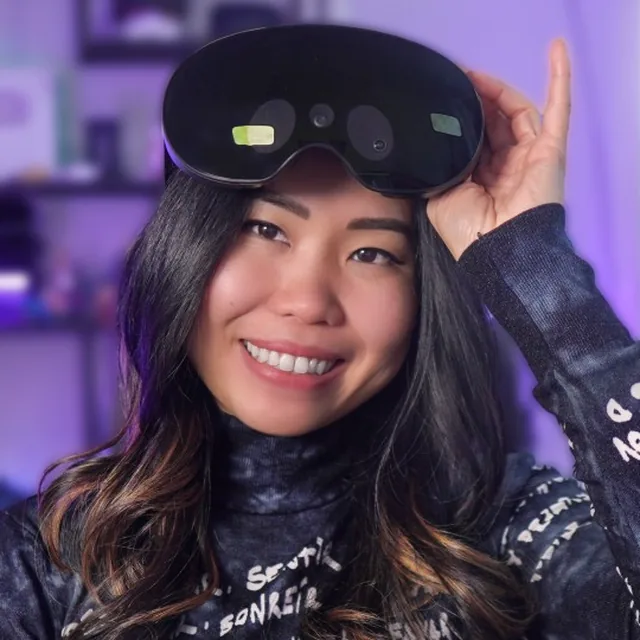
The Quest Pro is Meta’s new high-end VR headset, released the day before I filmed this. It has pancake lenses that make it much slimmer than the Quest 2, self-tracking controllers, face tracking so your avatar copies your expressions (smiles, winks, even one raised eyebrow), and color passthrough that’s one-to-one with real life. It also costs $1,500. Meta says that’s because it’s aimed at businesses, for productivity and collaboration, but it plays all your Quest 2 games out of the box. So is it worth it for games, only for work, or not at all? These are my Meta Quest Pro first impressions after one day, with the unboxing and setup. My full review followed later.
Meta sent us a review unit. As always, that doesn’t change our opinions.
What’s in the box
The box looks confusingly similar to the Quest 2 box. Inside:
- The Quest Pro headset (it looks slick)
- Two Touch Pro controllers with removable wrist straps
- A charging dock that charges the headset and both controllers at once, with a 45 W USB-C power adapter
- Separate charging cables for the controllers and the headset, and a cable clip
- Two stylus tips that go on the bottom of the controllers so you can draw with them like a pen
- Two partial light blockers for the left and right sides
- A protective cover for storage, a cleaning cloth and the manuals
It’s nice packaging, but I think Meta cut corners here. For this price I expected a better box or an included travel case.
Setting up the Quest Pro
The software is the same as the Quest 2 with some added features, so setup is very similar:
- Turn on the headset and follow the setup windows. They show you how to fit the headset to your head and eyes and make you watch some safety videos.
- Install the Meta Quest app on your phone and log in with a Meta account (or a social media account, though I’m not sure why you’d want that).
- Pair the app with the headset.
- Draw your Guardian boundary.
It’s not complicated, but it takes around 15 minutes. You end up in the same Android-based system as on Quest 2, with a new and pretty beautiful Quest Pro home environment.
How to wear it
The strap is shaped like a halo, and you tighten it with the knob at the back. I love that you can stretch the front a bit when you put it on, which makes it much easier to line the lenses up with your eyes. There’s enough space at the sides to put a finger in and move the lenses. A new wheel at the front adjusts the depth: it moves the display closer or further away, which seems to increase the field of view a bit.
Build quality and comfort
The first thing I noticed was the build quality. This is the first headset in a while that feels so premium and solid, like it won’t break easily. The controllers too: one side has a soft anti-slip finish that just feels expensive.
Most of the weight rests on your forehead, so nothing presses on your face. It’s like wearing a cap with a screen floating in front of you. There’s no top strap anymore, which made me wonder about the balance, but it’s actually well balanced. My first impression is that it’s very comfortable, especially the cushions.
The area around your eyes is open by default, so there’s a lot of light leaking in from the sides. The included partial light blockers help, but light still comes in from the bottom. To be fully immersed you need to buy an extra accessory. I didn’t have it yet. Surprisingly, I don’t mind being a bit connected to the real world during Beat Saber workouts or mixed reality, but for a story-driven game I’d want full immersion. I really don’t understand why a $50 accessory couldn’t be in the box of a $1,500 headset.
Specs and display
On paper the specs aren’t a big upgrade:
- Snapdragon XR2+ chip (better than the XR2 without the plus)
- 12 GB of RAM
- A resolution similar to Quest 2, still with LCDs
- Refresh rates of only 72 and 90 Hz
- A claimed field of view that’s barely bigger
The new parts are mini-LED backlighting with local dimming and the pancake lenses. Together they make the colors and contrast much better. Even at a similar resolution, it looks sharper than Quest 2, with more vibrant colors and deeper blacks. Without the light blockers you see some outside light reflecting on the lenses. I’m impressed, but not wowed. For $1,500 I expected more.
The Touch Pro controllers
The controllers are a different story. Each has its own three cameras and chipset, so they track themselves wherever they are. No more tracking rings, and they don’t need to be in view of the headset. I really love them.
I only tested them briefly, but I could already tell how much better they track in games where the Quest 2 and Pico 4 controllers struggled, Beat Saber among them. No tracking loss, even below or behind the headset. It seems to come close to base station tracking.
The good news: they’re sold separately and work with Quest 2, so you can upgrade your tracking without a new headset. The bad news: they cost $300, almost as much as a Quest 2. They could be worth it if the Quest 2 controllers keep letting you down, for example if you play a lot of competitive shooters or archery games.
They also have stronger haptics, index finger sensing that tracks your finger sliding on the trigger, and localized haptics that should make grabbing virtual objects feel new. I had no apps to test those with yet, which is a downside of a more innovative headset: you wait for content that uses the new features.
Face tracking and new features in apps
The only app I found with the new face tracking was Meta’s own Horizon Workrooms. My avatar tracked my eyes and face, and it was fun and seemed to work well. I’d love to try it in social VR like Rec Room or VRChat. Developers were releasing updates daily: one game had just added local dimming, eye-tracked foveated rendering and over 30% more pixel resolution, all Quest Pro-only features. I expected more to follow.
Color passthrough and working in VR
An extra RGB camera adds color over the black-and-white cameras, and the passthrough is depth correct. There’s no depth sensor as rumoured, but it’s stereo and one-to-one with real life, so walking around is comfortable. On headsets like the Pico 4, where color passthrough isn’t depth correct, it can cause discomfort.
It isn’t perfect. The colors looked mixed together the moment I turned it on, the image is grainy and distorted, and reading text on a phone or monitor is really hard, even right in front of your face. Meta says software can improve it.
For work, I spawned several monitors in the Immersed app and even did some development work. It worked well, and it was sharper in the headset than the capture shows. I’m not sure the passthrough is good enough yet to work in mixed reality for eight hours straight, but I planned to test that more.
Audio and battery
- Audio: the built-in speakers sound great in my short tests, and there are two audio jacks, left and right.
- Headset battery: as short as claimed, one to two hours depending on what you do. That’s way too short, and I expect people to mod it with power banks.
- Controller battery: better than the rumoured one or two hours. They hadn’t run out on me yet.
My Meta Quest Pro first impressions so far
There’s a lot to like: the premium build, the comfort, a better-looking display and, most of all, the controllers. But I really didn’t know yet whether that justifies the steep price. That’s what my full review was for.