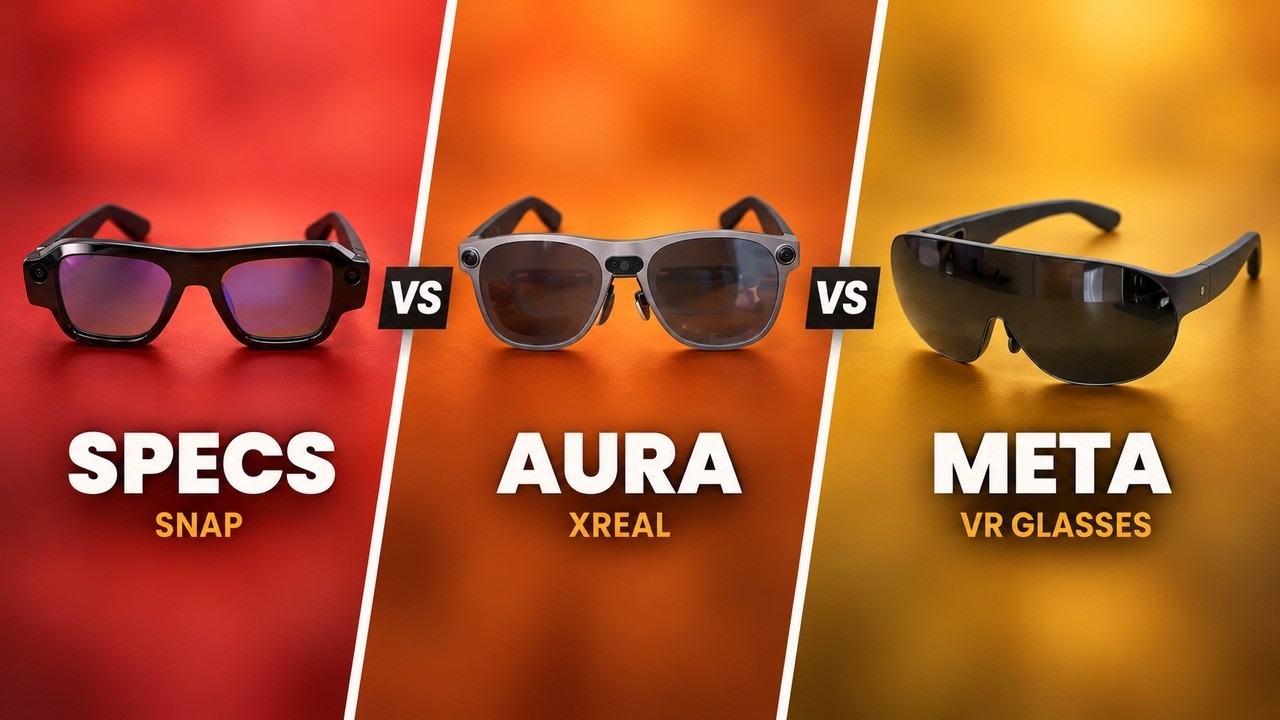
INAIR Pod: The XREAL AURA Competitor?
The INAIR Pod is a $440 puck that turns most XR glasses into a spatial computer. What it does well, where it falls short, and how it compares to XREAL AURA.
 By CasPublished Updated Video + article6 min read
The INAIR Pod is basically an XREAL AURA competitor, with two big differences: the puck alone costs $440, and it plugs into almost any pair of XR glasses you might already own. The industry is moving to pucks to keep XR headsets light, so in this INAIR Pod review I look at what it does well, where it falls short, and whether it belongs in your setup. I tested it with INAIR’s own glasses and with the VITURE Beast, and there are a few caveats you’ll want to hear before you spend any money.
Looki L1 sponsored one segment of this video. INAIR didn’t sponsor it, and the opinions are ours.
What the INAIR 2 Go Pack is
INAIR calls the whole thing a spatial computer, which is kind of the buzzword, isn’t it? The INAIR 2 Go Pack is three parts:
- The INAIR Pod, a puck that runs everything
- INAIR 2 Pro XR glasses
- Touchboard Fold, a foldable keyboard with a built-in touchpad
All three fold into a case small enough for a small bag. Instead of opening a laptop, you put on the glasses and get multiple virtual displays floating in front of you: Netflix on one, a browser on another, YouTube on a third. On a plane, in a café, wherever.
What’s inside the pod
The pod is like an actual computer. It connects to your XR glasses over USB-C and has:
- A Snapdragon eight-core chip
- 8 GB of RAM and 128 GB of storage
- A 5,000 mAh battery
- Haptic feedback and a fingerprint sensor on the side
- A touchscreen and buttons for navigation
Like XREAL AURA, it runs Android, but not Android XR. INAIR runs its own version, INAIR OS. You still get the Google Play Store, it just has its own twists, a bit like macOS versus Windows.
The biggest advantage is that it doesn’t only work with INAIR’s own glasses. It also works with VITURE, RayNeo, Rokid and even XREAL. If you already own XR glasses, this is the brain you plug them into to make a spatial computer, and that changes the whole math on price.
The INAIR 2 Pro glasses: the weak part
One honest note first. The Go Pack includes the INAIR 2 Pro glasses, and they’re the weak part of the box. I couldn’t find a sweet spot where the whole image was sharp: it was either the top or the bottom, never both. The IPD isn’t adjustable, and after about an hour of email work my eyes were properly strained. That shouldn’t happen on a 2026 pair of XR glasses.
When we made this video, the Go Pack was $1,059 and the glasses alone were $469. For that money there are better glasses out there. So if you came for the Go Pack, you’re better off buying the pod alone and pairing it with something else, which is exactly what I did.
The pod with the VITURE Beast
Plugging the pod into the VITURE Beast is where I started enjoying myself. In June, INAIR pushed an update that added 3DoF multi-window support for the Beast with the pod, and it works really well.
You use the pod as your pointer, with its touchscreen and buttons. The OS is a wide arc of floating windows, and you can open six at once from a familiar app library: Netflix, a browser, YouTube, Discord, all sitting in the space around you. They stick together, so you resize and move them as a group, and a full-screen window can be resized on its own. That’s what makes it feel like a spatial computer rather than a mirrored screen. You can’t stack windows or put one behind another, because they’re locked into a horizontal arc. That’s fine for me.
It’s 3DoF only, and I think that’s the biggest difference from AURA, which is 6DoF. With 6DoF you can pin a window and lean into it. With 3DoF you get head rotation, but you can’t step around a window. For productivity that’s not a big deal, since you can just zoom in, but 6DoF opens up a whole category of AR experiences the pod can’t do.
Overall it’s easy to understand and a surprisingly polished experience.
INAIR OS: the good and the frustrating
INAIR OS is Android-based, but it isn’t Google’s Android:
- INAIR has its own AI, but it isn’t as capable or as built in as Gemini.
- Google apps work but feel a little buggy, where on Android XR they’re built in. If you’re a Google user like me, expect some setup.
- On day one, Gmail crashed when I tried to add a second account, and Genshin Impact installed but crashed while verifying files. Small things, but if I hit those in one afternoon, there are probably more.
- There’s no hand tracking.
- Screen drift is hit or miss, from what I hear. On the INAIR glasses my screens didn’t drift. On the VITURE they sometimes did, but after calibration it’s not a dealbreaker.
On the good side, the OS feels more mature than anything I’ve tried from competitors like VITURE’s neckband or the XREAL Beam Pro, which surprised me. INAIR also has a track record of shipping updates: it keeps adding 3DoF support for new glasses, and it recently unlocked Netflix in full HD, which matters because DRM on streaming apps is a real headache for manufacturers. I can’t promise it keeps that pace, but it’s a good record for a smaller company. And Google hasn’t exactly been racing to update Android XR, so it’s a bet either way right now.
Features I loved
2D to 3D conversion
Open a supported app, tap the little 3D icon at the top left, and the content pops into depth. Lots of glasses do this now, and the depth looks good here too. I found myself reading my emails in 3D and thinking I kind of want to keep doing that. It also works in YouTube, Netflix and other apps.
INAIR Space
This app streams your laptop screen into the glasses, and it sits really well next to the native Android apps. Typing has a little latency, but otherwise it just works. I can float my MacBook in space with pod apps around it, similar to what you can do on Apple Vision Pro. You give up field of view and resolution, but this is far lighter and far more affordable. My Bluetooth keyboard and mouse even switched between the pod and the MacBook without me touching anything, which is a lovely quality-of-life touch.
It won’t replace monitors at home, and Vision Pro is a lot more capable, but for travel it’s awesome.
The Touchboard Fold keyboard
- Compact, which I love for travel, but small enough that blind typing takes real getting used to.
- A bit flimsy. It needs a flat surface. On your lap it just doesn’t work, so you’ll want to carry something to put it on.
- A period needs the Fn key. Maybe you can remap that, but I haven’t found the setting.
- The trackpad is slow, with no sensitivity setting. INAIR, please add a slider.
More honest gripes
- Heat. The pod gets hot enough that I didn’t want to hold it after a while, and it feels like it’s throttling.
- Fan noise. The fan kicks in a lot, and it’s a bit too loud for my taste.
- One USB-C port. Battery life is about four hours in real use, which is fine, but with one port you can’t charge the pod while using the glasses unless you buy INAIR’s separate hub for another $50. To be fair, the hub is included in the Go Pack.
The XREAL AURA question
When we made this video, AURA wasn’t out yet. XREAL said it would launch in the fall as a puck plus glasses, with a price under $1,500. Being newer, it does things this pod can’t. Its specs are newer, and because it has 6DoF sensors, it can do proper AR, with digital objects that sit in your room and stay put when you walk around them: games, 3D models, that kind of thing. With Android XR, there’s even potential for VR games later.
The 3DoF INAIR Pod isn’t built for that. It’s made for windows in space, not objects in space. If AR or VR is what you want, that’s a real difference.
To keep it fair, the pod has been on the market since August 2024, and a future version could close that gap. So the honest hardware comparison isn’t AURA versus this pod, it’s AURA versus whatever INAIR does next. On software we can compare today, and INAIR has done a really solid job. For a full side by side, I need AURA in my hands. Android XR could still surprise us.
INAIR Pod review verdict: who it’s for
If you already own a good pair of XR glasses, like the VITURE Beast or XREAL One Pro, and you want a spatial computer without buying a whole new headset, the pod on its own at $440 is genuinely worth a look. The software is more polished than I expected, and plugging into glasses you already own is the whole point.
If you’re eyeing the full Go Pack, I’d wait, because the INAIR 2 Pro glasses are the weak link. And if you want proper AR with objects in your room, this isn’t it, and XREAL AURA is probably where to look. But for windows in space, right now, INAIR nailed it, and I’m excited to see what it does next. The pod is on INAIR’s site.