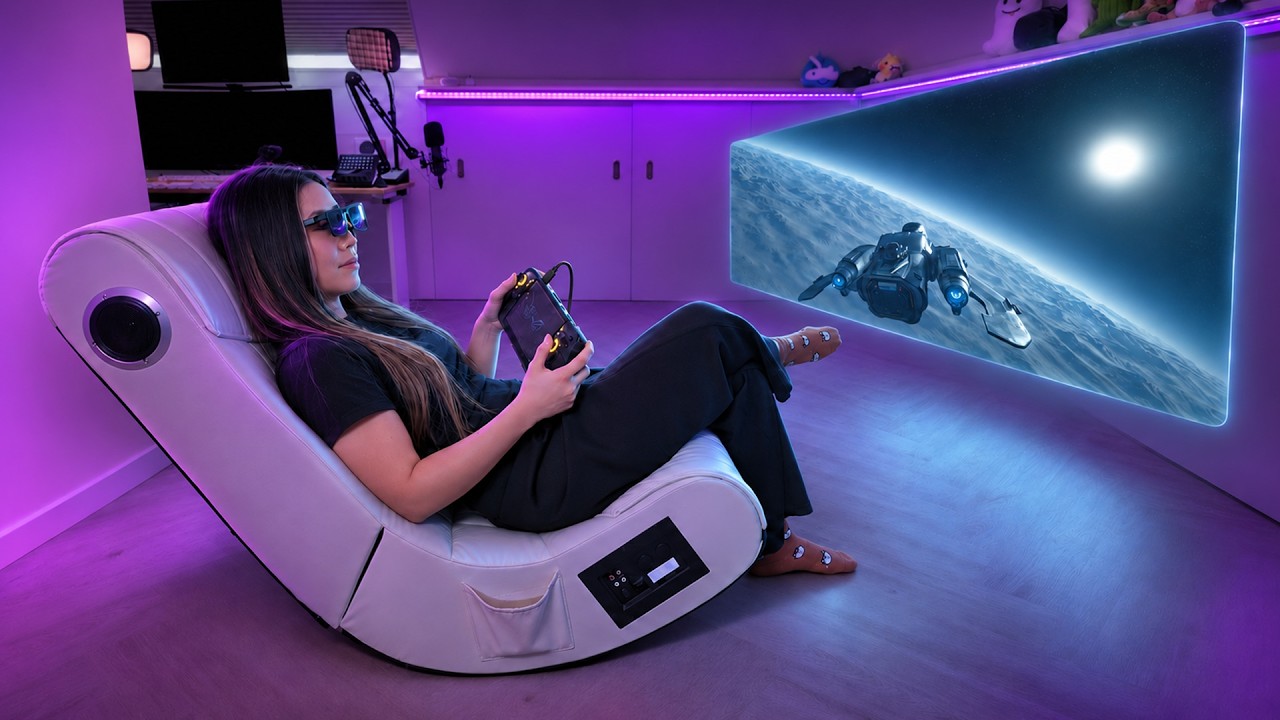
Spawn 330″ OLED Screens ANYWHERE ANYTIME… XREAL Beam
My first 45 minutes with the XREAL Beam, the box that lets XREAL Air glasses pin a giant virtual screen in place on almost any device.
 By CasPublished Updated Video + article4 min read
Last week the company formerly known as Nreal took on a new name, XREAL, and launched a new product with it: the XREAL Beam, a small box that connects to the XREAL Air glasses and adds the one thing they were missing. These are my XREAL Beam first impressions after about 45 minutes with it at AWE, so this is not a review. A full one will follow once I’ve tested it at home. XREAL asked to partner with us for the first time and sponsored this video. We’ve been fans of their work for a long time, so we said yes, and as always they had no say in what I think.
What the XREAL Air glasses couldn’t do before
If you don’t know them, the XREAL Air glasses are compact, light smart glasses that give you a huge virtual screen you can carry in your backpack. Plug them into a console and you get a big virtual OLED screen in front of your eyes instead of squinting at a tiny one.
They had two limits. They only worked fully with certain Android phones, and the virtual screen was always stuck in your view: move your head and the screen moved with you. Not a deal breaker, but it wasn’t really AR, and some people found it uncomfortable. What you’d want is to resize the screen, put it anywhere in your room and have it stay put. The Beam does that, on almost any device.
What the Beam is
At its core, the Beam gives you resizable, movable screens on any device. XREAL calls it a 3DoF spatial display.
- It’s a standalone device with 4GB of RAM and 32GB of storage, enough to run the glasses without your phone.
- It has a built-in battery and two USB-C ports, so you can plug in the glasses and charge the Beam at the same time.
- It doubles as an adapter. Connecting my Nintendo Switch used to need a complicated setup; now it’s the Beam and one cable.
- Bluetooth 5.0 and Wi-Fi on most bands make wireless screencasting possible: AirPlay from Apple devices, Miracast from Android and Windows.
I also think the outside is one of the best-looking designs around.
Three display modes
Once a device is connected, a big virtual screen appears, and buttons on the Beam switch between three modes.
3DoF mode
This is the important one. With the Beam’s buttons you can recentre the screen, move it up, down, left and right, and make it as small or as big as you like. The maximum is like watching a 330-inch screen from 10 metres away. The best part is that the screen stays anchored in one direction while your head moves, so if you glance away it stays where you left it. It’s like magically placing an enormous iMac-sized screen wherever you want. This is starting to feel like real AR.
And it’s universal: PS5, Xbox, Nintendo Switch, Steam Deck, iPhone, iPad, MacBook, Windows PC or laptop. That’s a big deal, because these all run different software and not every company gives developers that kind of screen control. Before, this was only possible on Android devices that could install XREAL’s Nebula app, which left a lot of devices and use cases out.
The Beam also has the anti-shake stabilisation I loved in Nebula, so the screen doesn’t jitter, which not every AR glasses maker offers.
0DoF mode
The screen follows your head, the way the glasses worked before.
Side view
This shrinks the screen and puts it to the side of your view, so your direct line of sight stays clear. You could follow a recipe while cooking, check Google Maps while walking, or watch something while working out at the gym.
Picture quality and battery
The Air glasses have a resolution of 49 pixels per degree, close to retina level, with 1080p per eye on Sony micro-OLED displays. They look beautiful. I still need to test at home whether 3DoF mode improves the sweet spot and readability, but text at the event looked sharp to me. The field of view is still 46 degrees, so if you make the screen very large at a close distance, the edges get cut off. That’s a hardware limit of AR glasses in general, not just XREAL.
The Beam’s battery is rated at 4,870 mAh for up to three and a half hours, and with 27W fast charging it reaches 50% in 30 minutes. Not a huge amount, but enough for a full movie and a bit more. I want to check later whether heavy gaming drains it faster.
Price at launch
- XREAL Beam on its own: $109
- XREAL Air glasses: $379
- Beam and Air bundle: $488
That makes it one of the more affordable smart glasses setups, but it’s not cheap if you won’t use it much.
Nebula for desktop and what’s still missing
At AWE I also tried Nebula for desktop, which lets you spawn several virtual screens from a laptop. It’s really impressive, and you don’t need the Beam for it, only the glasses. It’s a lightweight take on spatial computing, a bit like Apple’s approach, except Apple’s headset runs on its own while the glasses and Beam are more of a display that still uses your device’s computing power.
One thing I hope comes one day: sharing and syncing screens with someone else, so two people with glasses could watch a movie together.
XREAL Beam first impressions: who it is for
I think it offers the most value to people who travel a lot. Chary and I fly long distances often, and the glasses have become a must-bring item on our flights. I also use them at home for gaming when someone else is using the TV, and with the Beam I expect to use them much more, for more things. The AR isn’t perfect yet, but having it in this form, this soon, at a fairly consumer-friendly price is quite incredible. It’s clear XREAL is sticking to its mission of merging the physical and digital worlds, and this is a real step towards it. More on the XREAL website.