Rokid AR Spatial Review: Good Enough to Leave the Laptop?
After weeks with the Rokid Max 2 and Station 2: comfort, image quality, the YodaOS-Master software, battery life and whether you need the Station.
 By CasPublished Updated Video + article6 min read
In my first impressions I said the Rokid Max 2 might be one of the sharpest display glasses I’d used. After a couple of weeks of heavy use I’ve also found a few quirks that keep it from being perfect. This is my Rokid AR Spatial review: how the Max 2 glasses and the Station 2 hold up after hours of wear, how the image compares with competitors, battery life, 3D content, and whether you need the Station 2 at all.
What the Rokid AR Spatial is
The Rokid Max 2 are lightweight display glasses that put a big virtual screen in front of your eyes. The Station 2 is the companion device. It adds 3DoF tracking, stabilization and a spatial computing OS called YodaOS-Master, so you can run Android apps, multitask and stream without another device.
You can buy them separately or together as the AR Spatial bundle. When we made this video the bundle cost $698 and the glasses alone $429.
Design and comfort
I still like how Rokid wraps the frame around the optics to hide the bulkier birdbath lenses. They look cleaner than most display glasses I’ve tried.
Comfort has been mixed. At 75 grams they’re light, but not dramatically lighter than other display glasses. The nose pads feel great and the arms only get mildly warm. The bigger factor is the temples: the arms use spring tension to stay put, which keeps the glasses secure but means constant pressure behind my ears. On my head shape that builds up after two or three hours, and I need a short break. Shifting the arms sometimes helps. This will vary from person to person.
The clamshell case is a nice upgrade. It holds more than most display glasses cases, though the seal isn’t perfect if you overstuff it.
Image quality
The Max 2 pairs birdbath optics with micro-OLED displays: sharp text, vibrant colours and a perceived brightness of around 600 nits. Indoors and in dim light that’s fine without the cover. In bright daylight you’ll want the clip-on light blocker. There’s no electrochromic dimming, so you can’t change the tint on the fly.
Compared with the newer, flatter prism lenses on something like the XREAL One Pro, birdbath optics have more edge blur, a smaller field of view, more internal reflections and more bulk. They’re cheaper to make, though, and the image is still good enough for most people, especially on a budget.
The field of view is about 50 degrees, which is standard for this kind of glasses now. Some pricier models reach around 57. The difference is noticeable but not huge. You still get that rectangular window look, but the screen is big enough that I’d rather use it than my phone or a handheld console’s display.
Using the Max 2 without the Station 2
You can plug the glasses into any device with USB-C DisplayPort Alt Mode, like a MacBook or an ASUS ROG Ally. They mirror your screen at 1080p or 1200p per eye, depending on the source.
Without the Station there’s no stabilization, so the image follows every head movement. That’s fine for videos, but for reading or work even small movements make text less clear. The hinges don’t adjust and birdbath optics have a smaller sweet spot, so getting text perfectly sharp can take some fiddling. You’ll see a little blur and colour fringing at the far edges, but the screen stays sharp and readable, more than enough for media.
Audio is good enough that I don’t feel the need to plug in headphones, at least at home, and there’s plenty of volume. I haven’t travelled with them yet. The two noise-cancelling microphones pick up a lot of background noise, so I rarely use them.
Using the Max 2 with the Station 2
The Station 2 changes the glasses completely. With 3DoF tracking the screen stays put when you move your head. It isn’t 6DoF, so you can’t lean in. You can lock windows in place, recentre them with a long press on the home button, or use movement mode, where the screen follows your head but much more smoothly than with the glasses alone.
YodaOS-Master feels like a mix between an Android phone and a laptop. There’s a taskbar, the Google Play Store, Rokid’s own store with spatial apps, third-party stores like Aurora, and sideloading. It packs more features and customization than most similar devices I’ve tried. Inside are a Snapdragon 6 Gen 1, 8GB of RAM and 128GB of storage: not fast, but smooth enough for light work, media, gaming and browsing. Because it’s so open, not every app is optimized, so you’ll hit the occasional bug like navigation acting up. Most of my apps run fine.
Window modes
- Theater mode lets you drag and resize one screen wherever you want. I use it for movies and games.
- Multi-window mode gives you up to three windows at once in preset sizes (ultra wide, wide or narrow). I use it for work, with my script open next to YouTube or lo-fi Zelda music. “Ultra wide” isn’t very wide, though. I wish it were wider.
Quirks
- Stabilization works well when you sit still. Walk around and the screen shakes too much to read. Movies are fine. XREAL’s built-in stabilization handles this a bit better.
- The trackpad has a ray mode, where you point like a laser, and a touchpad mode like a laptop’s. I prefer touchpad mode because it feels natural and I don’t have to move my hands much.
- Bluetooth 5.2 connects keyboards and controllers, but I noticed a little typing delay. It matters less in games. A low-latency keyboard is the better choice.
- The fan is audible in a quiet room. To me it’s white noise, but it might bother someone sleeping next to you. It does keep the Station cool.
Movies, gaming and 3D
Watching a show is always my first test. DRM apps like Netflix, Disney+ and Prime Video are supported, which isn’t always the case, and everything looked sharp. The downside: DRM apps don’t work with the Station’s 3DoF features, so Netflix on the Station 2 feels no more stable than plugging the glasses into a phone. I hope that gets added.
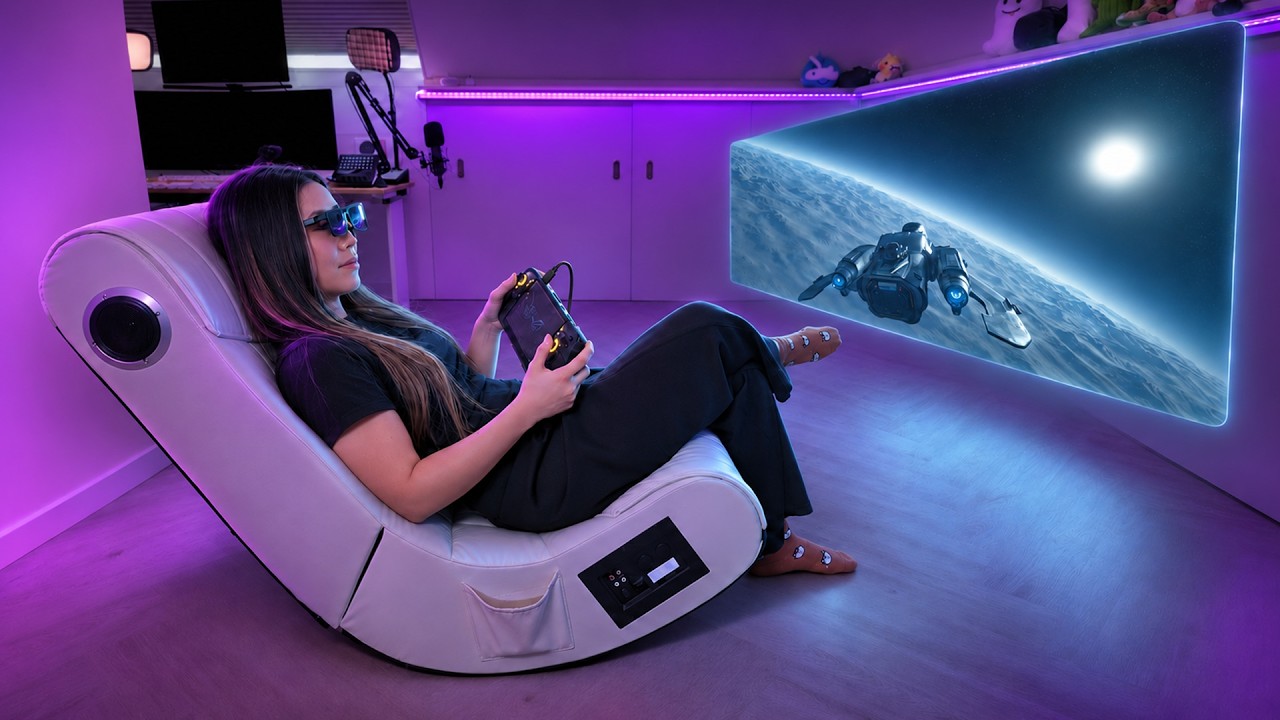
Gaming is where the Station 2 makes a real difference. I streamed my Steam games with Moonlight and played comfortably. There’s some latency, so fast-paced games might not work, but in theater mode it feels like gaming on a huge screen. The Google Play Store means there’s an app for almost anything.
3D content has to be seen in person. It’s clean, not blurry old-school TV 3D, and adds a lot of depth, as on most display glasses. I played 3DS games in the Citra emulator from the Play Store, and they looked incredible. Switching to 3D takes a tap on the icon in the corner and picking a format like side by side.
Rokid’s own spatial apps are simple but use the see-through optics in clever ways to layer things over your surroundings (with the cover off). They’re a fun way to see what the hardware can do, not something you’ll open every day.
Can it replace your laptop?
It depends. It won’t replace a 4K display or an ultrawide monitor, and windows can feel cramped at 1080p. For light work that doesn’t need the resolution, or to replace a small phone screen, a handheld console or a screen for emulators, absolutely.
Battery life on the Station 2 was roughly three and a half hours while I wrote this script with three windows open and a Bluetooth keyboard connected. That’s not a full workday, but you can use it while charging, so bring a good power bank when you travel. The whole setup fits in a backpack or carry-on without taking much space.
How it compares
- The XREAL One Pro has built-in stabilization and newer prism lenses, which give a slightly wider field of view and less edge blur. It’s also more expensive.
- The VITURE Luma Pro uses birdbath optics like the Max 2. Its stabilization only works with a device that can install VITURE’s software, and even then it isn’t great. It does have AI-powered 2D to 3D video conversion, which the Rokid doesn’t.
Compared with the Luma Pro, the Station 2 gives the Rokid better stabilization and a better OS.
Rokid AR Spatial review verdict: who it’s for
If you mainly want movies, shows or gaming on a big virtual screen, the Max 2 on its own does the job and looks good doing it. I’d like more comfort at the temples, but the image is sharp and vibrant, and the lower price makes it a solid entry into high-quality display glasses.
I’m not a fan of display glasses without stabilization, though, so for me the Station 2 makes the experience much better. If you want multitasking, 3DoF stabilization and a small laptop-style setup you can take anywhere, I think it’s worth getting the bundle. The OS is straightforward with plenty of customization. That portability is what makes it worth keeping around for me, on the days I can’t or don’t want to carry a laptop.