THESE Are The Most Advanced Smartglasses Right Now – INMO Air 3
The INMO Air 3 runs full Android with Google Play on binocular color waveguides, no phone or cable needed. My first impressions after using it daily.
 By CasPublished Updated Video + article5 min read
Smart glasses used to be simple: camera glasses that took photos, or glasses that mirrored your phone screen. Now there’s a middle ground. The Meta Ray-Ban Display is light and stylish, made for quick notifications outdoors. Display glasses like the XREAL One Pro have bigger lenses for movies and light work, but need another device. And then there’s the INMO Air 3, which runs full Android on its own, with no phone or cable, and most Android apps work out of the box. It still uses thin waveguides, so it’s slimmer than typical mirroring glasses and only slightly bulkier than Ray-Bans. These are my first impressions of the INMO Air 3, and I’ll follow up with a full review.
INMO sponsored this video. That supports the channel; it doesn’t buy my opinion, and I only take sponsors for products I like.
A portable terminal on your face
The idea is a tablet in a glasses form factor. It runs an open Android 14 system, so you can install most of the apps you already use and shape how you use it. INMO has made several glasses before, so I was curious how far they’ve come.
When we made this video the Air 3 had just launched on Kickstarter, with an early bird price of $899. If you’d already put down a $30 deposit, you got $130 back after the campaign, bringing it to $799.
What’s in the box
- The INMO Air 3 glasses and a USB-C charging cable
- A portable case
- A privacy shield that doubles as a sunglass clip-on
- A ring controller with its own charging cable
- A touchpad controller with its own charging cable
- An extra nose piece, a cleaning cloth and manuals
That’s a thoughtful bundle, especially the input options. INMO is also testing a wristband controller, a bit like Meta’s Neural Band, planned as a separate accessory later. I love the Neural Band, so that’s good news.
Specs and design
- Chip: a Qualcomm Snapdragon eight-core processor
- Memory: 8GB RAM and 128GB storage, so it works without other devices
- Wireless: Wi-Fi 6 and Bluetooth 5.3
- Sensors: a three-axis gyroscope, accelerometer and magnetometer
It’s light for everything inside. The build is plastic but solid. The sides are a bit bulky and lean techy, but from the front at a distance they pass as glasses. It’s not invisible tech yet, but it’s heading in a more wearable direction.
The built-in audio is a bit hollow: fine for podcasts and quick videos. For something more immersive, pair your own Bluetooth earbuds or headphones.
The display
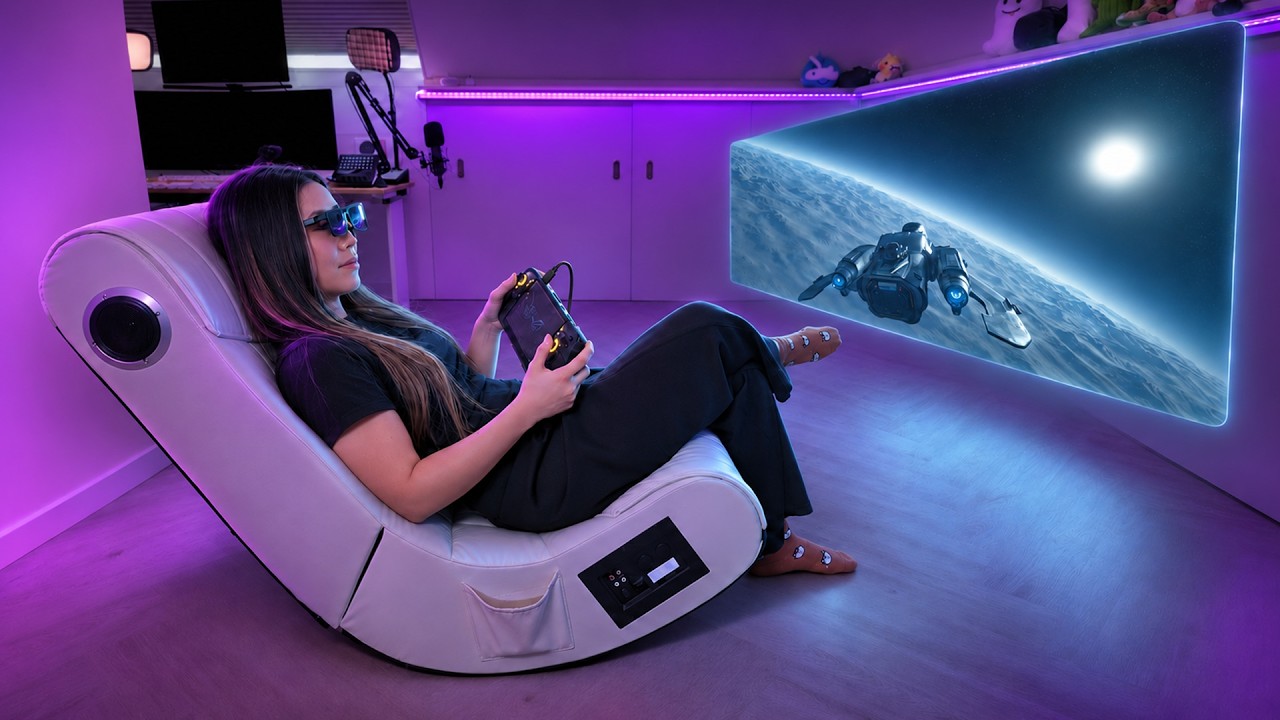
This is what I’m most excited about. It uses full-color waveguides at 1920 x 1080 with a 36° field of view, and it’s binocular, so each eye gets its own image. Most waveguide glasses I’ve tried lately are monochrome, monocular or narrower, so getting all of this at once is pretty wild for waveguide tech right now. From a distance the screen can feel as wide as 150 inches while the lenses stay this thin.
Keep expectations in check: it’s still 1080p right in front of your eyes, so it’s not TV quality at that size. For reading, watching content and messaging, it does the job, and Netflix works. Colors look more washed out than on video glasses like the XREAL One Pro, and the field of view is smaller than on that kind of glasses. For a wireless, standalone pair, especially for work rather than only movies, that’s a fair trade.
Brightness tops out at 600 nits, which is on the low side in bright sun. The sun cover boosts brightness and contrast, and with it on I could do some light work outside in the shade. These are meant to be used while sitting still, not walking around, so I don’t see myself using them outside much. They’re easy to take on a trip, though.
Three ways to control it
- The touchpad on the temple works, but holding your hand up by your head isn’t comfortable for long.
- The smart ring works like a laser pointer you steer with your fingers and wrist, for scrolling, tapping and selecting. It’s a bit too big for my fingers, so it’s been finicky for me. If it fit better, it could be quite useful.
- The separate touchpad controller works like a laptop trackpad. It was the most comfortable for me, because it needs very little movement.
The smoothest way is still a Bluetooth keyboard and mouse, which makes it feel like a PC. The wristband wasn’t ready yet, so I couldn’t try it.
There’s also a wide-angle camera with electronic image stabilization for POV shots, video calls and casual vlogging. The battery is 660 mAh: INMO claims 1 to 3 hours depending on use, and about 30 minutes to charge to 58%. I’ll test the camera and battery properly for the full review.
Android 14 with the full Play Store
You get the whole Play Store, and about 90% of the apps I use regularly worked. You can browse, scroll social media, watch Netflix or YouTube, use Google Docs and run messaging apps. Screens float in front of you and move with your head (it’s 0DoF, so they’re fixed in your view, not anchored in the room).
Multitasking works better than I expected. I could even alt-tab between apps with my keyboard. An app called Multiscreen shows three resizable windows side by side. With the limited field of view you turn your head to see them all, and at the time it only worked with the smart ring.
I also like the Screen Mirror app, which lets you cast a screen to the glasses, like AirPlay. I cast my MacBook and it was readable, which is kind of insane. I wouldn’t use it for anything demanding, but it’s handy for keeping your head up instead of looking down at a screen all day.
Performance is impressive for the size. Apps aren’t as smooth as on a laptop, which you wouldn’t expect from this chip, and some apps aren’t made for this display or input, so parts of their interface feel cramped. There’s also a built-in AI assistant for questions and hands-free actions. It seemed to work well so far, though I don’t know which language model it uses.
How I’ve been using the INMO Air 3
It isn’t made for one thing. In the morning I watched YouTube or caught up on my favorite news app over breakfast, with nothing else needed. Once I paired my wireless keyboard and mouse it started to feel like a real operating system, and I installed what I needed: my password manager, Gmail, Notion and YouTube. They all worked.
In a cafe with a keyboard and mouse, I got through email and documents using only the glasses. It won’t replace a laptop, but if you travel or move around a lot, it’s a decent workspace that’s always with you. It reminds me of my setup with the Rokid AR Spatial, except this one needs no extra device, which makes it even more portable. With a full Android system, if there’s an app for it on the Play Store, there’s a good chance it works here.
Who it’s for
After my time with the Air 3, I get why this space is heating up. Smart glasses don’t have to be all-in-one AR machines yet. Sometimes a light, open system that lets you watch something, play games, get some work done or stay connected is enough, and the Air 3 blends those uses without asking much from you.
It’s not perfect. The picture isn’t as sharp or vibrant as dedicated display glasses. What you get in return is real portability, no cables, and far more app freedom than most glasses right now. If you want smart glasses that do more than mirror or notify, and you like the idea of an Android tablet you wear, this is one to watch. I’ll test comfort, more use cases, the camera and battery life for the full review. The Air 3 is on Kickstarter.