Meta Ray-Ban Display Glasses Review: The Most Futuristic (and Frustrating) Wearable Yet
Three weeks with Meta's display glasses and Neural Band: what feels like the future, what's locked down, and who should actually buy them.
 By CasPublished Updated Video + article7 min read
Smart glasses with a display in them were my childhood dream. I’ve been living with the Meta Ray-Ban Display for a while now, and in practice there are real pros and real cons. I bought them myself (with a horrible experience getting a pair, more on that below), and after about three weeks of use this is my Meta Ray-Ban Display review: what they are, what they do, and whether they’re worth your money.
From the outside they look almost identical to the earlier Ray-Ban Metas, which take photos and videos and let you talk to Meta AI. This version adds a small display inside the right lens. There’s still a camera and open-ear speakers, and they come with a wristband, the Neural Band, that lets you control the glasses with small movements of your hand. You get turn-by-turn navigation, messages, captions, notifications and live translation in your view. It’s built for quick glances, not long reads: it’s meant to complement the world around you, not replace it. At launch they cost $799.
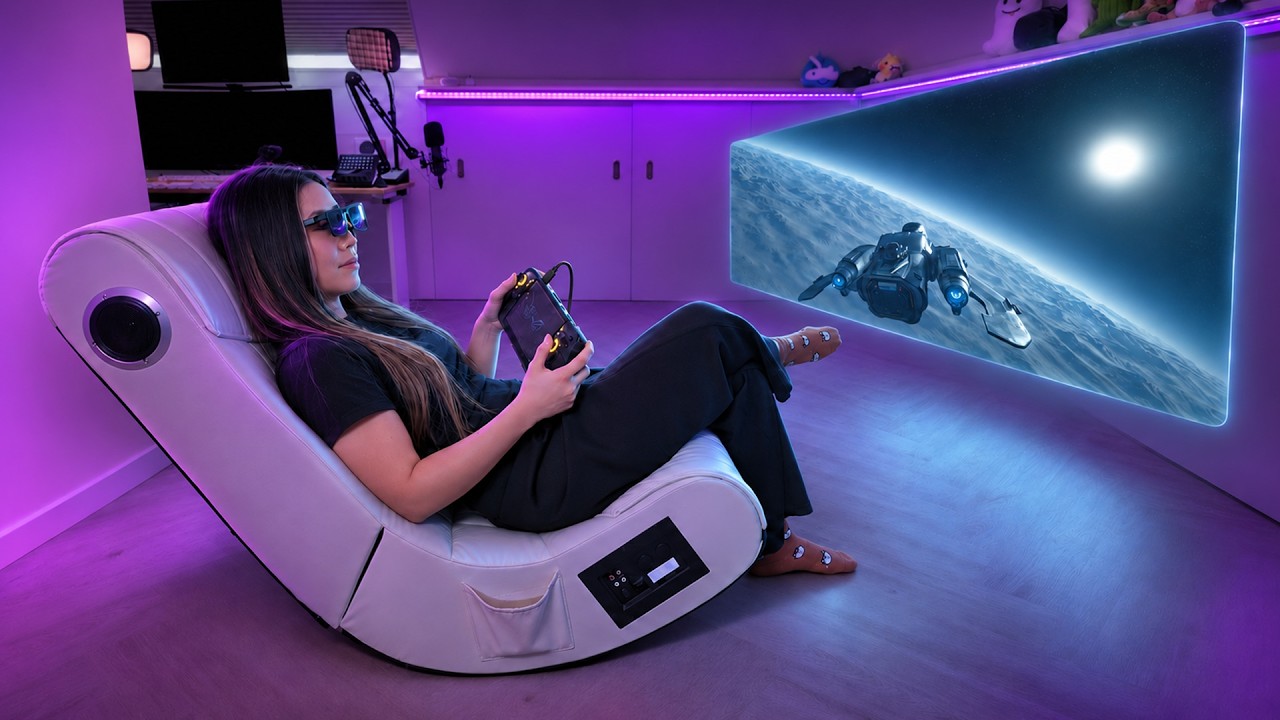
LiberNovo sponsored a short segment of this video for its chair, which has nothing to do with the glasses. They don’t get a say in our review.
Design and what’s in the box
They use the classic Ray-Ban Wayfarer look, and to most people they’re just sunglasses. I did notice more people staring, probably because the front cameras are quite visible (less so on the black version), and the frames are a bit thicker than usual. I expected to look much nerdier than I do.
- On the right temple there’s one button for quick actions like photos and a small touchpad for the menu and volume. Built-in tutorials teach you the rest.
- Two colors: sand and black. I picked sand because I love the color. It comes with a matching Neural Band, a cleaning cloth and a soft fabric case (the black version’s case is leather).
- The lenses are transitions: clear indoors, dark gray in sunlight, so you can wear them any time.
The case is clever. It’s a charging case: the glasses last about 3 to 6 hours depending on use, which isn’t much, and the case adds up to 24 hours more. It charges over USB-C, with a cable in the box, and it folds flat when the glasses are out, so it fits even a small pocket. The Neural Band has its own proprietary charger.
The display
It’s monocular, so you only see it with your right eye. The field of view is a small 20°, but with a full-color 600 x 600 waveguide at 42 pixels per degree it’s sharp enough for reading and looks bigger than I expected. It refreshes at 90Hz, though most content runs at 30 fps, which still feels smooth.
These aren’t AR glasses. The image is 2D, not 3D. Think of it as a smartwatch on your face, for quick info.
Turn them on and you see the time and a Meta AI shortcut. Scroll right for your apps, left for quick settings like brightness, volume and battery. The first time I scrolled through that with the Neural Band, it felt straight out of the future.
The Neural Band
You can control the glasses by voice, with the touchpad, or with the Neural Band, which reads tiny muscle signals in your wrist.
- Tap thumb and index finger to select.
- Thumb and middle finger to go back.
- Double tap to turn the screen on or off.
- Swipe your thumb while making a loose fist to scroll.
It sounds like a lot, but you learn it fast. What blew me away is how accurate it is: tiny movements register, even with your hands in your pockets. I even caught myself doing the gestures without the band on. My favorite gesture is for zooming. While taking a photo or video, pinch and hold your index finger and thumb, then twist your wrist to zoom up to 3x digital. It works really well, all through muscle signals. The same move adjusts the volume.
Camera
The 12MP ultrawide camera takes 3024 x 4032 photos and records 1440 x 1920 video at 30 fps, all in portrait. I think it’s the same camera as the regular Ray-Ban Metas. What’s new is the display, which becomes a live viewfinder in your lens. You frame the shot in real time, see the photo straight after, scroll your gallery and share to Instagram or WhatsApp without your phone.
Most features need your phone nearby over Bluetooth through the Meta AI app, but some, like the camera, work on their own thanks to the Snapdragon AR1 Gen 1 chip, 2GB of RAM and 32GB of storage (around 1,000 photos or 100 short videos). The app offloads everything quickly over Wi-Fi.
The big letdown is no landscape mode. It’s built for Reels and Stories, so everything is vertical, and I really hope Meta gives us the choice.
Audio, music and video calls
There’s a six-mic array and open-ear speakers that go up to 76 decibels, louder than you’d expect. The sound is clear with a little bass. Not headphone quality, but fine for calls, voice notes and music, even somewhere noisy. You can still hear people around you, and they can barely hear what you’re listening to.
They work as Bluetooth headphones out of the box, and you can see album art while browsing with the Neural Band. Full voice control only works with Spotify and Apple Music. Hands-free video calls show the other person in your lens while streaming your view to them, which is handy for asking someone’s opinion while grocery shopping. That only works with WhatsApp and Instagram. The stereo mics record spatial sound, so playback puts you back in the moment. Meta nailed that, as it did on the first generation.
Navigation: a real-life mini map
Someone once commented that they’d always wanted a mini map in real life, like in video games. That’s exactly what this feels like. Start it by asking Meta AI or opening the Maps app with the Neural Band. It’s powered by OpenStreetMap: find nearby restaurants or parks, or ask for something specific, confirm, and go. Turn-by-turn directions appear in your lens.
I used it in New York and LA and it got me where I needed to go every time. Glancing to the side instead of pulling out my phone is so satisfying. The display gets up to 5,000 nits, easy to see in direct sunlight, and the frame is IPX4 and the Neural Band IPX7, so light rain is fine.
The limits: when we made this video, navigation only worked in the US, best in major cities. The map data works worldwide, but Meta blocks the start button outside the US. It also only works while walking. Meta disables it while driving, and having tried it, it is a bit distracting, though I’d like the choice.
Captions, translation and Meta AI
Live captions show subtitles of the person you’re talking to in your lens, and they’re fast. For anyone hard of hearing, or anyone in a noisy place, that’s very useful. I tested it during Snap’s Lens Fest keynote, and the full transcript is saved in the Meta AI app. You can’t export it, though, which is a missed opportunity. Imagine summarizing all your meetings this way. For now the only workaround is screenshots.
Live translation captions another language in your lens. It’s noticeably slower but usable. I tried it with my mother-in-law, who speaks fluent Spanish, and it worked surprisingly well. At the time it only supported English, French, Italian and Spanish. Even so, it’s one of the features where the display adds the most: before, you could only hear translations, and they lagged behind the conversation. Reading them is much easier to follow.
Meta AI feels more useful now that it can show you things. Say “Hey Meta” or use a shortcut, ask about the weather, places nearby or reminders, and the answer appears as text or visuals. It’s not the smartest assistant out there, but it has improved, and it surprised me. At a food hall I stood in line far from a menu in Spanish and asked for a translation. It took a photo on its own, worked out which menu I meant among everything else, zoomed in, highlighted parts of the text and showed the translation in the display. You can scroll the results with the Neural Band, pick a section and ask more about it. The translation stays on screen while you decide what to order. It looked so sci-fi.
The biggest cons
- A closed system. In Meta’s world (WhatsApp, Messenger, Instagram) you can read messages, send voice replies and photos, post a Story and watch Reels sent to you in DMs. Oddly, you can’t scroll your full Reels feed. Beyond that it mostly stops. YouTube shows thumbnails but won’t play. No other messaging apps, no TikTok, no full phone notification feed. For this price I’d hope for more openness, and third-party apps would let these do so much more.
- The Neural Band needs a tight fit. It has to sit tight against your skin, so after a few hours it leaves marks and can get uncomfortable. Loosening it during downtime let me wear it all day.
- A slightly hazy view. Looking through the lenses, the world can feel slightly soft, as if you can see the waveguide. Cleaning the lenses often helps, and after a while I stopped noticing, but there’s still a faint glow in some lighting.
- Not fully private. People can’t easily tell what you’re looking at, but they might notice you staring at nothing, and at some angles the display is visible from outside.
- Very discreet photos. There’s a small white light when recording, but it’s easy to miss. Great for candid shots, but it could make people around you uneasy.
- Phone support. Only major phone brands are supported, and as a first-generation product, long-term durability and software updates are less certain.
What it took to get a pair
They retail for $799, and finding a pair was much harder than it should be. Meta doesn’t let you just walk in and buy them: you have to book a 20-minute demo first. I checked every day for about a month and slots were really rare, and even with one, stores like Best Buy didn’t always have stock. It honestly felt like Meta didn’t want to sell them. In the end I got lucky at the Sunglass Hut on Fifth Avenue in New York, where a staff member squeezed me in between appointments. I had five minutes, rushed through the demo and walked out with the glasses. So they’re pricey and hard to get, and the hassle adds to the cost in time and effort.
Meta Ray-Ban Display review verdict: who they’re for
After three weeks, I don’t think they’re for most people. They’re full of cool ideas that work, but the limits are real: navigation is US-only for now, there’s no landscape video, no third-party apps, no full phone notifications, and the battery life isn’t great. I’ve heard they might launch in more countries next year, which would unlock navigation. Still, it feels like a glimpse of the future stuck in beta.
So this isn’t a must-buy. It’s a testbed for early adopters who already live in Meta’s ecosystem and are fine with rough edges. If that’s you and you want to play with something futuristic, go for it. Otherwise, I’d wait.
I’m still genuinely excited. The Neural Band is the star here, and Meta is already testing things like handwriting input on your wrist, so you could text by writing with your fingers. It’s not there yet, but the direction is clear.