A HUGE 120Hz Oled TV That Fits Your Pocket! Rokid Max
The Rokid Max puts a big 120Hz micro-OLED screen in glasses that fit in a pocket. What's in the box, what's new, how to use it and who it's for.
 By CasPublished Updated Video + article4 min read
The Rokid Max is Rokid’s next generation of AR glasses. They look like regular glasses and are small enough to fit in your pocket (even tight women’s pockets, which I hate), yet it’s like carrying a huge cinema screen everywhere you go, for gaming and watching shows. A year ago I showed you the Rokid Air. The idea is the same, but the hardware is upgraded, so here’s what’s new and what they’re like to use.
Rokid sponsored this video and sent the glasses. They didn’t get to tell us what to say.
What these glasses are (and aren’t)
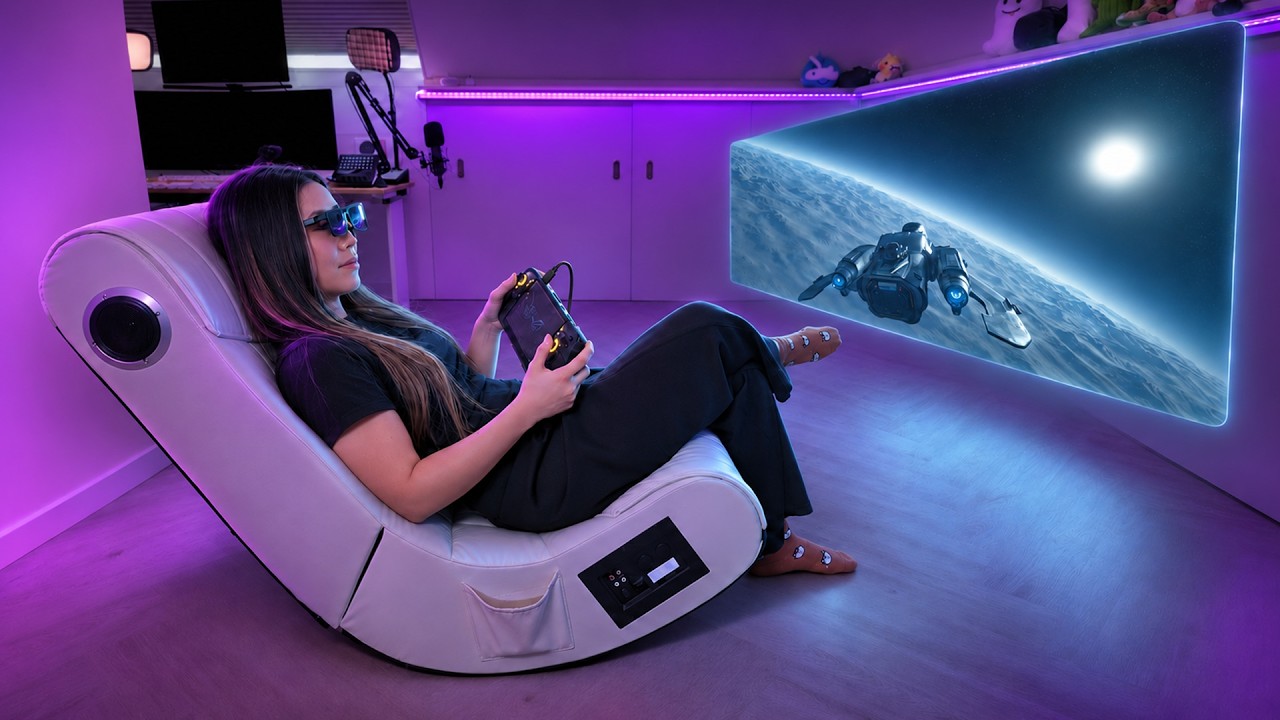
Don’t confuse the Rokid Max with a standalone AR headset. It connects to a host device like a phone, PC or games console and mirrors its screen. Think of watching your favourite show on a plane without craning your neck to look down, or not having to hold up a heavy gaming handheld.
On top of mirroring, Rokid’s software supports 3D, the 120Hz refresh rate, voice control, three degrees of freedom tracking and lightweight AR experiences made for these glasses.
What’s in the box
- The Rokid Max glasses, with protective stickers (I couldn’t wait and peeled them off already).
- A USB-C to USB-C cable.
- A blackout cover, which is new. With it on you only see what’s inside the glasses, a bit like being in VR, and other people can’t see the sneaky things you’re watching. You can customise it, too. Without it you get the AR view: the virtual screen floats over the real world and you still see what’s around you.
- A super cute carrying case. I like tiny things. The zipper caught my hair a bit, but this is an early unit.
Rokid also sent some accessories:
- An HDMI to USB-C adapter to connect the glasses to a PC, laptop or console.
- An anti-slip strap for active sessions, so they don’t fall off your face onto the floor.
- The Rokid Hub, to connect the glasses and charge your host device at the same time.
Design, comfort and sound
The Rokid Max looks a lot like the older glasses, just slightly more polished. The optics mirror two tiny micro-OLED screens into your eyes. The nose piece is flexible, so it should fit most noses, and you can remove it.
For people with a prescription there are two diopter dials from 0 to -6, one dioptre stronger than the previous glasses. On the arm you’ll find the volume buttons and a button for brightness.
They weigh 75 grams, lighter than before, and they’re comfortable enough that I can watch a whole movie in them. They do leave red spots on your nose after a while, but I guess that’s AR glasses for you.
The built-in speakers surprised me. The surround sound is great, and it’s quite private: I watched a movie with Chary sitting right next to me and she couldn’t hear a thing. Turn it up high and people will hear it, and for total privacy you can connect headphones to your host device. There’s also a noise-cancelling microphone for voice commands.
The Rokid Max display
- Two 1080p displays, one per eye.
- 120Hz refresh rate, double the 60Hz of the previous glasses. It looks very smooth and is especially nice for gaming.
- A 50 degree field of view, 50% bigger than before, though you can still see the edges of the screen.
- Up to 600 nits of brightness reaching your eyes, from a display that goes over 1,000 nits.
It looks brighter than the previous glasses, and I can even use it outside. If the sun is too bright, I put the cover on.
To give you an idea of size: my TV is 77 inches and my couch is about 3 metres away. Wearing the Rokid Max in front of it, the virtual screen looks bigger than the TV. Colours, black levels and contrast all look fantastic. Clarity is held back a little, because it’s Full HD, so it’s logically less sharp than my 4K TV.
Getting the fit right matters. The displays can’t lean too far left or right or the image goes blurry, and the sweet spot isn’t big, so it can take a moment to get it right.
How to use the Rokid Max
With the Rokid AR app
The Rokid AR app works like a little operating system, with your phone as the controller to launch apps optimised for the glasses. In Cinema you’ll find apps like YouTube, Hulu and Twitch. The glasses support the copy protection that streaming services need, so most of them work, like Netflix, Prime Video, Disney+ and Apple TV. You can also watch offline, which is great on a flight: put the movie on your host device first.
3D movies work in the video player, and you can switch between 3D modes. Shortcut: hold the brightness button for a couple of seconds to switch between 2D and 3D.
The app doesn’t work on every phone. Rokid has a list of supported phones on its website, and plans a processing unit later so the glasses work easily with any phone.
As a mirrored screen
Without a supported phone you can still use the glasses as an external monitor. Most devices work as long as they output video. My iPad isn’t a supported device, but it still mirrors my iOS apps. Connect with the included cable, or your own if it’s USB-C 3.1 or later and supports video output.
Most consoles should work, like the Switch, PS5 or Xbox, but some need a USB-C to HDMI adapter. I couldn’t test consoles yet because my early unit wasn’t optimised for it, but Rokid assured me the final unit would work. What did work was my Steam Deck: I can lie down with it on my belly instead of holding the heavy thing up the whole time, and it’s been lovely.
You can mirror a PC or laptop too, for example as a second screen when you take your laptop outside.
My favourite way to use it is as a mirror for my iPad: YouTube or Netflix in any comfortable position. Reading works, but my eyes got tired faster, because text is only sharp in the centre sweet spot. Taking breaks helps, and I’d recommend those anyway.
Is the Rokid Max worth it?
So far I like it. It’s a nice upgrade from the previous glasses, with a bigger-looking screen, a better refresh rate and better sound. Whether it’s worth the price depends on how much you need it. It isn’t for everyone: it suits people who travel a lot, or students without a TV in their dorm room. I’m adding it to my travel kit. When we made this video in March 2023 it was available to pre-order. My previous Rokid glasses video explains the technology in more detail, and that hasn’t changed.