Nreal Air VS Rokid Max! “AR Glasses” Compared
Design, display, software, console setups, audio and price: how the Rokid Max and Nreal Air compare, and which one fits how you'll use it.
 By CasPublished Updated Video + article4 min read
Imagine watching a movie or playing a game on the road, and instead of squinting at a small screen you slip on a pair of glasses and get an IMAX-like screen anywhere. That’s what these smart glasses promise. This is my Nreal Air vs Rokid Max comparison: both are second-generation glasses from their companies, but the Rokid Max launched this year while the Nreal Air (Nreal is now called XREAL) came to the UK in May 2022, and that age gap explains some of the differences. I’ll go through design, comfort, display, software, gaming setups, audio and price. Nobody sponsored this video.
Design and comfort
The Nreal Air has a sleek black design with a Wayfarer vibe and is a little bigger. The Rokid Max comes in a distinctive blue with rounder, almost oval lenses. The Rokid weighs 75 grams and the Nreal 79 grams, so that’s like comparing two feathers. Both are made for long sessions.
Comfort depends mostly on the nose pads. Rokid includes one extra size and Nreal includes two. The Rokid pads were instantly comfortable for me, while the Nreal needed some adjusting, but once you find a good fit you can wear either for a couple of hours. The Rokid’s temples have a different spring hinge system for a snug fit around your head.
I prefer the Nreal Air’s design (I love that Wayfarer look), but I find the Rokid Max more comfortable. Comfort and design are personal and depend on your head shape, though, so the display matters more.
Display: the biggest difference
Both use a birdbath optical design, which bends and reflects light inside the module. I say “AR” in air quotes because these aren’t really AR glasses: they don’t have positional tracking, image tracking or plane detection, so I’d call them smart glasses or media glasses. Birdbath optics are light, cost-effective and give great image quality, but each company does it a little differently.
- Resolution and colour: both have dual micro-OLED screens at Full HD per eye, and the colours are almost identical, with deep blacks. I barely see a difference.
- Ghosting: common with birdbath optics, a bit like reading through glasses smudged at the sides. Both have a little, but it’s more noticeable on the Nreal Air, especially at the edges. That may be the refresh rate (60Hz on the Nreal, up to 120Hz on the Rokid) or a smoother optical stack. In a movie or game it’s a minor detail, unless you use subtitles.
- Field of view: the Rokid wins by a little, 50 degrees against 46. Small, but noticeable side by side. The maximum screen size at 6 metres is 215 inches on the Rokid and 201 inches on the Nreal.
- Brightness: 600 nits on the Rokid Max against 400 on the Nreal Air. You can see the Rokid’s screen in normal room lighting without the blackout cover, while with the Nreal you’ll reach for the light shield more often. At night or with the covers, both are bright enough.
- Short-sighted? The Rokid has diopter adjustment on the glasses from 0 to -6. Beyond that you need prescription frames for an extra $15. The Nreal has no diopter adjustment but includes a prescription lens frame. You still have to buy your own lenses, which can be expensive.
Software: Nebula is ahead
You can use these glasses two ways. Mirroring puts whatever is on your device in front of your eyes like a floating monitor, fixed in your view so it follows your head. If you want the screen to stay put while you look around, you need 3DoF tracking, and both glasses only do that through their companion phone apps.
These apps work like little operating systems with their own stores. Your phone becomes a laser pointer, and you can browse the web, scroll social media, watch Netflix, view your phone’s photos and videos, and watch 3D movies.
Nreal’s Nebula has more. You can open any app as a separate floating window, resize it, move it and anchor it anywhere, choose from several layouts while browsing, and multitask with as many windows as your phone can handle. This starts to feel like real AR. There are extras like a biking app with scenic routes, Nebula for Windows was coming soon to turn the glasses into an ultra-wide 21:9 monitor, and the best part is stabilisation: browsing in Nebula feels like looking through a steadicam.
Rokid’s app is basic by comparison. It has no stabilisation, so it’s like being on a boat in choppy water. You can still move and anchor windows while browsing, and it supports voice control. Mirroring is stabilised on both, so this only matters in the apps. Both stores have a few extra basic apps and games that depend on third-party developers, though Nreal seems to have a team making more software. Software can be updated, so Rokid could still surprise us, but right now Nreal leads.
The apps only work on certain phones, for both brands. Check the Nreal Air compatibility list and Rokid Max compatibility list first. If your phone isn’t listed, you only get mirroring, which may be all you’d use anyway.
Gaming with consoles and handhelds
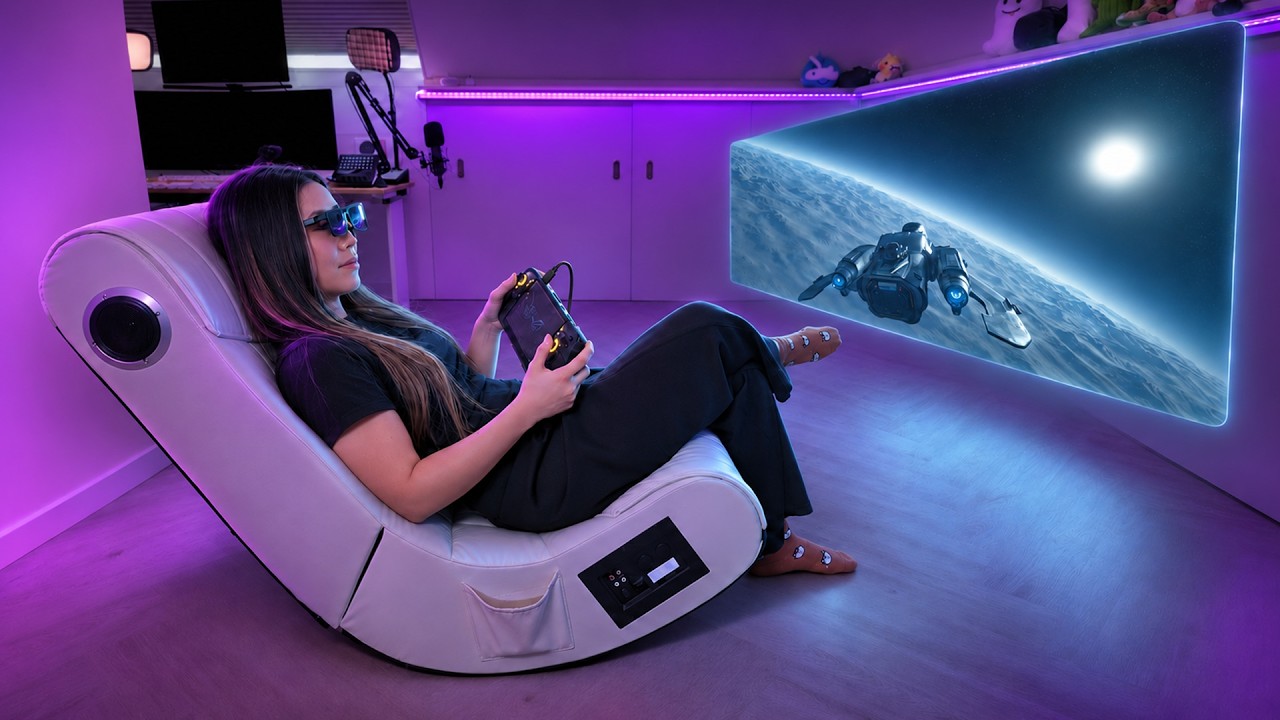
I mostly use these glasses for gaming. They turn into a portable big screen for your consoles: imagine turning up to a LAN party without lugging a monitor. Both mirror PCs, laptops and consoles, anything with a video output, so PS5, Xbox, Steam Deck and Nintendo Switch are all covered, but you’ll usually need an HDMI to USB-C adapter.
- Nreal Adapter ($59). Nreal’s own, with HDMI and USB-C ports. It also works with Apple’s Lightning Digital AV Adapter for iPhone and iPad.
- Rokid’s HDMI adapter ($29). Rokid’s recommended one for PCs and consoles. Don’t confuse it with Rokid’s wireless adapter, which is for casting from devices that support screen casting but have no DisplayPort or HDMI output. Other brands’ adapters may work, but you risk compatibility issues.
- PS5 and Xbox: easy with both, using the adapters.
- Steam Deck: plug either pair straight into the USB-C port thanks to DisplayPort Alt Mode. It drains the battery faster; the Steam Deck dock keeps it charged, but then you need the HDMI adapter.
- Nintendo Switch: more hassle. You need the adapter plus the Switch dock, which needs a power outlet and an HDMI cable, so it’s bulky. Rokid’s answer is the Rokid Hub ($37), a plug-and-play accessory that charges the Switch and connects the glasses at the same time, without the dock. If you play Switch a lot, I highly recommend it. It doesn’t work with the Nreal Air (I tried), though some Nreal users on Reddit have found workarounds I haven’t tested.
Audio and battery
Both have dual speakers in the temples and dual microphones for calls. The Rokid seems better at richer low tones and 3D sound effects, while the Nreal has louder highs and mids. Both keep sound in well: I gamed with the volume comfortably up while sitting right next to Chary, and she didn’t hear a thing.
Battery life depends on the device you plug into. Nreal claims five hours of video streaming from a fully charged phone with a 4,000 mAh battery, and Rokid looks to be in the same ballpark. Either way the glasses use extra power, so keep a power bank handy.
Price when we made this video
- Nreal Air: from $379, or $438 with the Nreal Adapter
- Rokid Max: $439 for the glasses (on sale at the time), up to $468 with the HDMI adapter
More accessories add more on top.
Nreal Air vs Rokid Max: which one to pick
The Rokid Max has the better hardware and a clearer image. The Nreal Air has the better software and keeps getting updates. Let your use case decide:
- Pick the Nreal Air if you’ll mostly watch videos and play games without reading much. It’s great value, the small hardware differences won’t change much, and you might enjoy Nebula’s multitasking.
- Pick the Rokid Max if you read a lot of text or want an easy portable setup for the Nintendo Switch. It may need extra accessories for some devices, but the clarity and ease of use can be worth the extra money.
Go for the one with the fewest cons for you. I’m sticking with the Rokid Max, mainly because I’m on an adventure in Zelda: Tears of the Kingdom and I use subtitles when gaming, and it’s amazing for that.