Project Aura – A Full XR Headset, 6X Lighter?!
My hands-on with XREAL's Project Aura at Google I/O 2026: the 70° view, the puck, Android XR and Gemini apps, tracking, and when you can get one.
 By CasPublished Updated Video + article6 min read
I just tried Project Aura at Google I/O, and the XREAL team described it to me as a full XR headset, six times lighter, in a glasses form factor. It runs the same Android XR as the Samsung Galaxy XR, with the same Gemini, apps and gestures, all from a puck you can carry. After wearing them, I think that line holds up. This is my Project Aura hands-on: what it is, how the hardware felt, the apps I tried (including one I drew in the air), and the things I couldn’t test.
XREAL covered our trip to Google I/O. They had no review direction, no script and no approval over what I say. Insta360 also sponsored a short segment in the middle of the video, for its X5 360 camera.
What Project Aura is
Project Aura is XREAL’s first pair of glasses built specifically for Android XR, a three-way partnership between XREAL, Google and Qualcomm. The heavy lifting (the OS, the apps, the AI) happens on a Snapdragon puck you clip to your clothes. The glasses run XREAL’s own X1S chip and handle some of the tracking themselves. I can confirm that, and it’s probably how Aura keeps tracking and display this stable without noticeable latency while keeping the glasses light.
What makes it different from every other pair of display glasses I’ve tried: it doesn’t run a custom phone-cast OS or a stripped-down launcher. It’s the real Android XR, the same as on the Galaxy XR headset. And “Project Aura” is a working title. The real name comes later.
Hardware, fit and optics
On the nose and ears they feel good and not heavy, very close to the XREAL One Pro. The One Pro is around 87 grams and Aura is under 95 grams. In my One Pro review I said it felt as casual as sunglasses, and Aura sits in that same zone for me. For something doing Galaxy XR class work, I think people will underestimate that.
The cable is about a metre long and plugs into the temple like the One Pro, so it tucks behind your ear. You feel it, but it’s not in the way. In my opinion these aren’t glasses for walking down the street anyway: they’re for sitting, working, watching and drawing in the air.
Displays
- They look like Sony micro-OLED panels, and XREAL told me they’re better panels than the One Pro’s.
- I didn’t watch a long movie, but the AR overlays and the multiple floating screens looked beautiful.
- In direct sunlight they were bright enough without any dimming, which surprised me.
- Electronic dimming has, if I remember correctly, five or six tint levels, with the darkest blocking almost everything.
Aura uses prism lenses, not the thin waveguides in Google’s XR glasses. That’s a real trade-off. Waveguides are slimmer but can’t really do movies. Prisms give proper display quality for content, so the glasses need to be a bit bigger, though still smaller than the birdbath optics in a lot of video glasses.
Field of view
The headline number is 70 degrees, and an XREAL exec called it “irresponsibly large”. Did it feel that way? Honestly no, but it’s impressive for this form factor.
I tested it in Google Street View in Google Maps. Immersive apps go full screen and minimise everything else, and in there you can really feel it: noticeably larger than any video glasses I’ve tried. But the extra space is mostly horizontal. Vertically it’s about the same as other display glasses, so it feels like a widescreen, not a VR headset. To feel truly immersive, it needs to grow vertically too, or wider diagonally. That’s pretty much what I predicted before I/O.
Text clarity is really good. I can see myself being productive in these, and colours pop. Like the One Pro, Aura will probably come in a medium and a large size with different IPD ranges.
The puck
This was the part I was most curious about. It’s small, a little heavy in the hand, and beautifully designed. I love the colourway and the materials, and it feels premium.
- Trackpad on the front. Lay it flat on a table and use it like a mouse pad when your hands aren’t free for gestures.
- Clip on the back. Clip it to your pants or a belt loop, or pop the clip off, attach a lanyard and wear it around your neck. XREAL recommends against keeping it in your pocket because it can get warm.
- Fingerprint sensor on the side. XREAL confirmed the final puck ships with it, which is nice for security and password managers.
- Two USB-C ports with power passthrough, so you can keep it on a power bank or wall outlet.
- Battery: XREAL quoted around three to four hours depending on use. Take that with a grain of salt while the software matures.
They also showed a compact carrying case that fits the glasses and the puck, like a small work and entertainment kit for your bag. My wish: a strap or a bit of room for a foldable keyboard. Once you have five floating windows, you want a way to type into them. Maybe in version two. Hint hint, XREAL.
Android XR and Gemini apps
The software is what makes Aura more than another pair of display glasses. The menu is exactly the one on the Galaxy XR. You use hand tracking and gestures: swipe through the app list, pinch to select, and grab a window’s corners to resize it in the air like on a desktop. You can have up to five windows open around you.
Because it’s Android, basically every Play Store app works, and immersive apps from the Galaxy XR work straight away. Some apps may need optimising for the smaller view, and XREAL told me plenty are already working on that. So you don’t start with an empty app drawer.
Drawing in the air, and a vibe-coded app
The most fun demo was a finger-painting app, a bit like Tilt Brush. I drew in the air, walked around my drawings, and they stayed completely stable, with full six degrees of freedom from just two front tracking cameras and one RGB camera. I kept waiting for them to drift. They didn’t. That’s impressive engineering.
The fun fact: that app was vibe coded. The demo lead told me they built it in a couple of minutes by talking to Aura while wearing it. Gemini is built into Android XR, so you can describe an app and it builds it.
Another demo was educational. I pinched a real plant, and the app showed the molecular structure of what it’s made of, floating next to it. I could grab the molecule and look at it from every angle. Ten-year-old me would have paid attention in school. People have promised AR as a learning tool for ten years, and this felt like it’s finally here.
XREAL features that carry over
A lot of what people like about XREAL glasses is here too:
- Spatial anchor locks a screen to a spot in your room. Walk away and back, and it’s still there. This looks like the default with Android XR, and it’s what makes Aura feel like real AR.
- Smooth follow makes the screen follow your head, handy for movies. You turn it on in settings. I’m not sure yet if it works with every Android XR app.
- Side view shrinks the screen and pins it to the side, so you can watch something while doing the dishes.
- 2D to 3D conversion is built into Android XR with auto spatialisation, so flat content gets depth automatically.
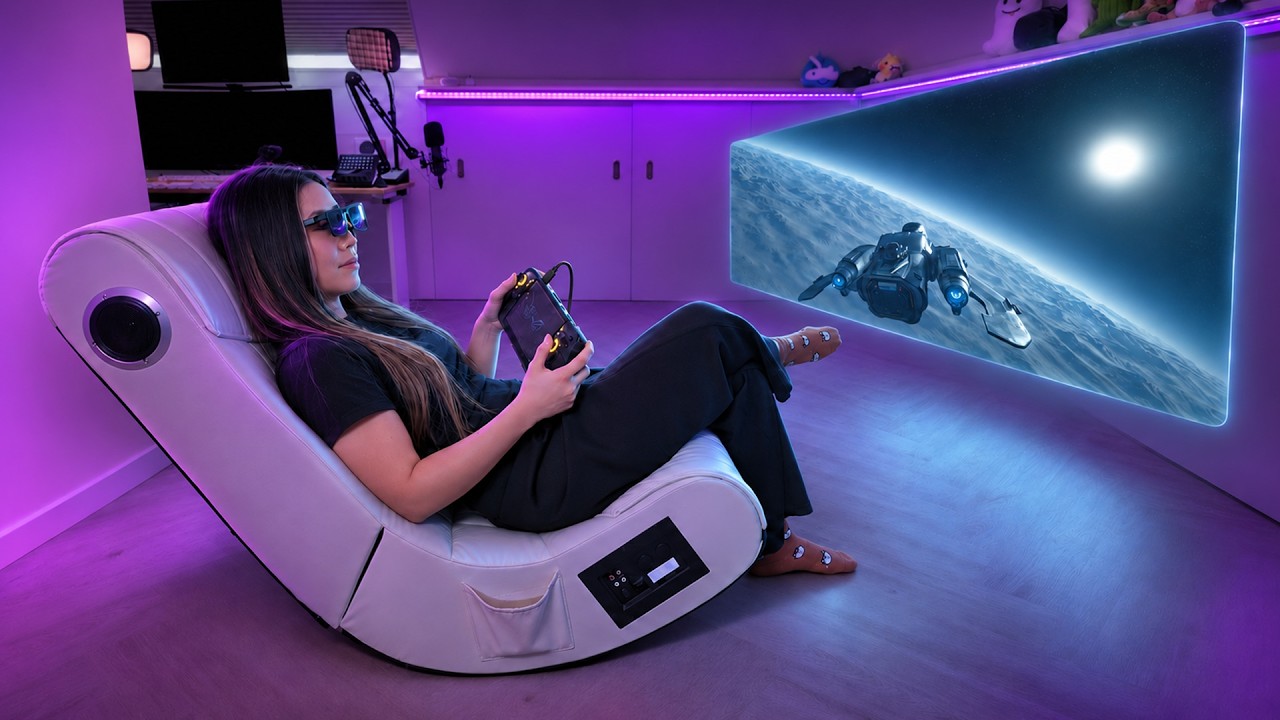
- Plain video glasses mode. Plug Aura into any other device, like a Steam Deck, and use it as normal display glasses. You get the Android XR layer on top when you use the puck.
Tracking
Hand tracking was better than I expected: smooth, accurate and with a wider range than I thought. There are dead zones because the cameras face forward, so if your hand drops below the frame it loses you, which is true of every glasses device I’ve tried. Head tracking is smooth and stable, but you see a tiny vibration in the windows when you walk. It’s made for sitting and working more than walking through a city with five windows open. There’s no eye tracking on this version.
Five windows, hand gestures and a Gemini you can talk to, while wearing something like glasses: that’s what makes it a dream productivity setup for me.
When you can get it
At I/O, Google and XREAL announced the Android XR Developer Catalyst Program:
- Applications opened on May 19, the day of the keynote, and close on June 30.
- Developers in the US, Japan, the UK and the EU can apply for an Aura dev kit.
- Selected developers start getting hardware in the weeks after July 15.
For everyone else, XREAL and Google confirmed Aura launches before the end of 2026. There’s no firm date and no price yet. I asked, and it’s too early.
One detail that didn’t get enough attention: Aura has GPS, so spatial apps can run outdoors and know where you are. Location-aware, hand-tracked, six degrees of freedom, real apps outdoors. That gets me close to thinking we’re approaching true AR glasses.
What my Project Aura hands-on couldn’t test
A 15-minute demo isn’t a review. Still open:
- Audio. It’s tuned by Bose, but the demo space was too noisy to judge how it sounds or whether it leaks.
- Heat. I don’t know how warm the puck gets in a long session, or whether that makes clipping it on uncomfortable.
- The trackpad. I barely used it, since the demo was all hand gestures.
- Compatibility. The puck won’t work with other XREAL glasses, because it relies on Aura’s own tracking and RGB cameras. Aura plugged into other devices does work as a display, but I still need to confirm whether you keep the One Pro’s on-glasses features, like the display modes, that way.
Chary and I are heading to AWE in a few weeks, and I suspect we’ll hear more about Aura there.
My Project Aura verdict so far
A strong first hands-on. There’s stuff to polish, stuff I couldn’t test, and big unknowns on price, but the foundation is there. In my prediction video I said Project Aura might be the device that starts to blur the line between VR and AR. After wearing it, I think this is that moment.
A full XR headset, six times lighter, is exactly the line I’d use too: same OS, same apps, same Gemini, a fraction of the weight, plus a puck I liked much more than I expected. The only thing really separating it from a VR headset now is the field of view, especially vertically. We’re closer than I thought. A full review will follow once I can live with it for more than 15 minutes. XREAL has a Project Aura page, and developers can apply through the Android XR Developer Catalyst Program.