RayNeo Air 3S: Better Than Before… and Still More Affordable?!
First impressions of the RayNeo Air 3S display glasses: what's in the box, gaming on a Switch with the JoyDock, movies, colour modes and audio.
 By CasPublished Updated Video + article5 min read
Smart glasses get better and more accessible every year. I’ve tested a lot of them, some great and some not quite there, and RayNeo stands out for steadily improving its display glasses with sharper visuals, better comfort and easier use. With the Air 3S they promise to do it again, at an even lower price. These are my RayNeo Air 3S first impressions, tested on the two things most people use them for: movies and gaming.
RayNeo sponsored this first-impressions video and sent me the glasses for free. My thoughts are my own, and my full review a week later wasn’t sponsored.
What display glasses are
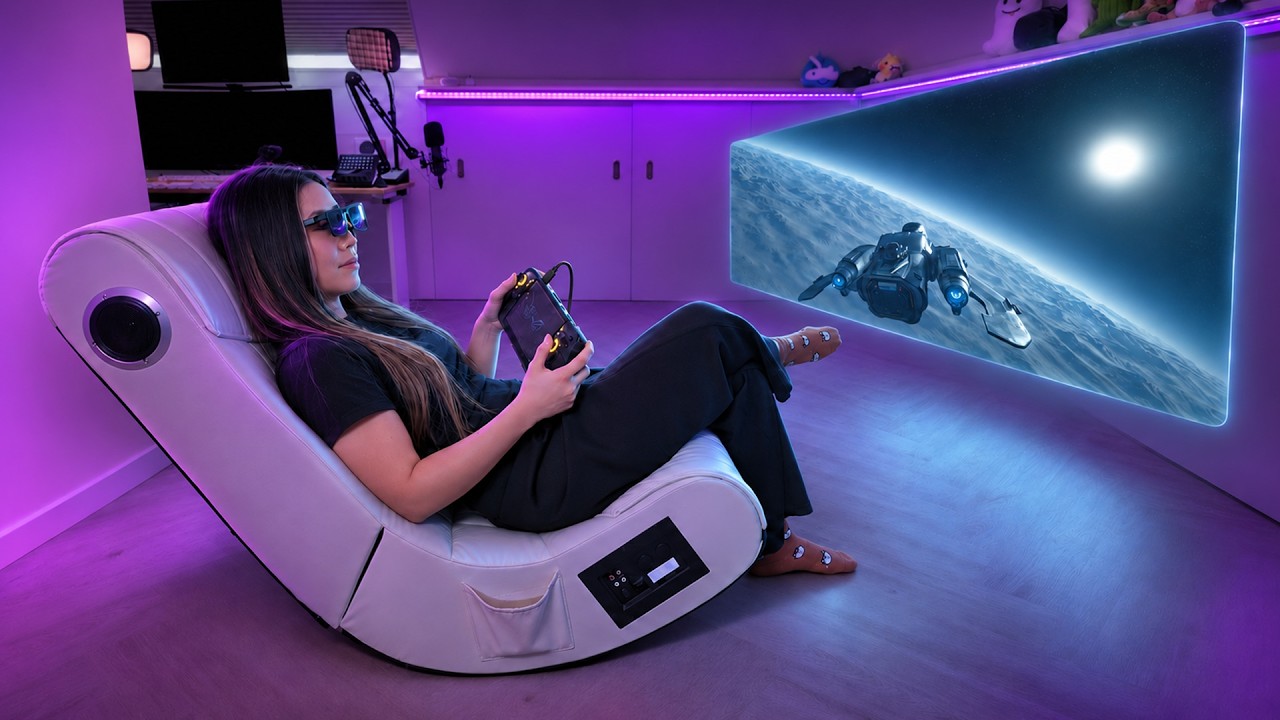
If you’re new to these, they aren’t AR glasses. They’re video glasses, or display glasses, that create a virtual screen of 201 inches in front of your eyes. That number describes how it looks: really it’s a small high-resolution screen close to your eyes, which gives the effect of a huge display several meters away. No hand tracking and no holograms, just a personal display for games, movies and even work.
They connect over USB-C, so you can plug them into a console, laptop or phone. RayNeo promises compatibility with over 1,000 devices. Your device needs DisplayPort output over USB-C, like the Samsung S24 or iPhone 16. Otherwise you can buy a separate adapter to connect older iPhones and other devices over HDMI.
They’re most useful where a monitor isn’t practical: on a plane, a train or lying on the couch. The questions are whether it really feels like a big screen, and whether I’d swap my devices for them.
What’s in the box
The packaging is simple and clean:
- The RayNeo Air 3S glasses, nice and light at 78 grams
- A carrying case
- A USB-C to USB-C cable for compatible devices
- A demo frame for prescription lenses (you order custom lenses separately)
- A different-sized extra nose pad
- A cleaning cloth and documentation
Gaming on the Switch with the JoyDock
I started with gaming, connecting my Nintendo Switch through RayNeo’s JoyDock accessory. It attaches to the Switch with an adapter and connects with the included cable, and it also extends the Switch’s battery life.
Launching Zelda, the first thing you notice is how much bigger the screen looks than the Switch’s own 7-inch display. It’s like a massive screen right in front of me, without a PC, and it still fits in my pocket. Zelda looked crisp, the colours looked really nice, and the field of view seemed a bit larger. The screen is very sharp from edge to edge, and the eyebox seemed noticeably bigger than on the previous glasses, so the sweet spot is better. I’ve used glasses like these for work and some have blurry edges. This one looked clean all the way across.
The JoyDock boosts the Switch’s output from its normal 720p at 60Hz to 1080p at 120Hz. At first glance it looked smoother and sharper, but I didn’t see a huge difference straight away, so I needed more time with it.
What I like most is the posture. Instead of looking down at the console, I lean back and play looking straight ahead, which is so much nicer. RayNeo’s OptiCare technology is meant to reduce flicker and make long sessions easier on the eyes, which I wanted to test over time. And the JoyDock’s battery gives up to five extra hours of play, a huge win for the Switch.
You probably know by now that I love display glasses for gaming, especially on the road, and the Air 3S is no different.
Watching movies
Next I plugged them into my phone and opened Netflix. The Air 3S has four colour modes, which I don’t remember seeing on other display glasses (though I’ve tested so many that my memory might fail me):
- Movie: punchier contrast and slightly warmer colours, almost a light sepia tone.
- Standard: cooler, slightly bluer tones.
- Game: somewhere between standard and movie.
- Eye protection: a softer, warmer yellow tint that’s easier on the eyes, for example in bed.
I caught myself switching between them depending on what I watched, which is really nice to have.
RayNeo claims its HueView screen delivers IMAX-level quality. That’s a big claim, and since I live right next to a cinema, I planned to compare them side by side for the full review. My first impression: colours and contrast look really good, natural and well balanced.
Audio and whisper mode
The built-in speakers sound great to me. RayNeo uses a dual opposing acoustic chamber design, and there’s very little sound leak, which still amazes me because the audio sounds so clear in my ears. Whisper mode reduces leakage even more, and RayNeo claims that with it on, the sound is inaudible to people within 20 cm of you. I wanted to test that properly with my partner in a quiet room. So far it sounds as solid as the previous model, which used the same speaker design.
Pocket TV: a streaming companion
RayNeo also sells the Pocket TV, a portable Google TV streaming box that pairs with the glasses. It’s Google certified, so you get the major streaming platforms, and it has:
- Up to 5.5 hours of streaming
- Google Assistant voice control
- 3 GB of RAM and 64 GB of storage
- USB or TF card support for your own files
It’s a good extra if you don’t want to drain your phone’s battery while travelling. I tested it in my video about the RayNeo Air 2S, the predecessor of these glasses.
One last fun feature: spatial photos
RayNeo says the Air 3S can turn your 3D photos and videos into spatial ones, so you don’t need a Vision Pro to experience 3D video. It’s a bit gimmicky perhaps, but fun, and it adds a little immersion. You need the RayNeo app and a phone or VR headset that can take 3D photos. The glasses also play 3D movies and shows, and the 3D effect is pretty great.
My RayNeo Air 3S first impressions verdict
So far the RayNeo Air 3S is shaping up to be a solid value: more accessible than previous models, with meaningful upgrades. It’s great to see RayNeo improve with every release. Gaming feels smooth, movies look great and readability is solid, so light work seems doable now too. One underrated benefit is that nobody else can see your screen. It’s a private theatre wherever you go, with no spoilers for the person next to you.
The Air 3S launched on 3 April 2025 at a lower price than the last model. In my full review I tested long-term comfort and more use cases.