This Setup Feels Like a Laptop in My Pocket – Rokid AR Spatial
My first days with the Rokid Max 2 glasses and Station 2: what's in the box, the design, YodaOS-Master, three-window multitasking and early quirks.
 By CasPublished Updated Video + article5 min read
Rokid is back. If you’ve seen my older reviews, you know I’ve always had a soft spot for their display glasses: even when features were missing, the screens were sharp enough that I often picked them over others. Now there are new Rokid Max 2 glasses and an updated Station 2, and together they make up the Rokid AR Spatial pack. These are my first impressions after a few days. The full review comes once I’ve spent more time with it.
Rokid sponsored this first impressions video. The opinions are mine.
What the Rokid AR Spatial is
The Max 2 are super light display glasses that put a giant virtual screen in front of your eyes. The Station 2 is the companion device that powers the spatial features, so you can run apps and multitask. Together they form an AR system called YodaOS-Master (super cute name), built entirely around spatial computing.
That means up to three virtual screens at once, and not three windows of the same app: three different apps side by side, which most display glasses can’t do. You place them around your view and can still see your surroundings while you work, watch or play.
Rokid has been at this for a while. The company was founded in 2014 and started shipping display glasses to consumers in 2020. I hadn’t heard much from them lately, but it turns out they were quietly working on this complete redesign, and it shows from the first use.
When we made this video, the AR Spatial bundle cost $648, and the glasses and Station were also sold separately.
What’s in the box
- The Rokid Max 2 box has a redesigned carrying case, the glasses with a light-blocking cover, an extra nose piece, a USB-C to USB-C cable, manuals and a cleaning cloth.
- The Station 2 box has the Station 2, a silicone case for it, another USB-C to USB-C cable and manuals.
Nothing fancy, just everything you need to get started.
Design of the glasses and the Station 2
Rokid’s glasses have always looked a bit different. The Max 2 frame wraps around the optics, which hides the bulkier birdbath-style lenses better than most. I think it works and gives them a cleaner silhouette, though that’s personal taste. They weigh 75 grams, light enough to wear for a few hours straight, though I still need to test that more. On the right arm are three buttons: volume up, volume down and a brightness toggle.
The new case is a nice step up. It’s much roomier than most AR glasses cases, with a compartment for accessories and a removable divider that I assume is for the Station. It closes like a clamshell instead of with a zipper and still seals tightly. It feels sturdy, and the leather-like material looks more premium.
The Station 2 is small and fits nicely in the hand. It’s kind of cute. Volume buttons sit on the left, a home and a menu button on the right, and a power button and battery indicator on top. The whole front is a capacitive touchpad that works as a mini trackpad or pointer.
Specs at a glance
You can plug the Max 2 into any device with USB-C DisplayPort Alt Mode, like a phone, Steam Deck or laptop, and get a mirrored screen in the glasses.
Max 2 glasses – Micro-OLED displays at 1080p or 1200p per eye, depending on the source – Perceived brightness of around 600 nits – 60Hz, or 120Hz with the Station 2 – Built-in diopter adjustment from 0 to -6.00D, for nearsighted people – No stabilization or 3DoF tracking on their own: the image follows your head, which is fine for basic media
Station 2 – Snapdragon 6 Gen 1, 8GB of RAM, 128GB of storage – Wi-Fi 6 and Bluetooth 5.2 – 5,000 mAh battery – 9-axis IMU for 3DoF tracking – Two USB-C ports (one for the glasses, one for charging), both with up to 18W fast charging
YodaOS-Master and the Rokid AR Spatial highlights
Snap on the glasses and boot the Station, and you’ll notice the biggest change: it runs its own operating system. The first Station was more like a Google TV. This one feels like a mini computer, not a casting box.
- The Google Play Store is built in, so you can download Android apps and run them natively on a giant floating screen. Third-party stores like Aurora work too.
- A mini taskbar along the bottom lets you jump between apps and open quick settings.
- The touchpad works like a pointer: move your hand to guide the cursor and tap to click, or switch to mouse pad mode so it behaves like a laptop trackpad.
- Three windows in 3DoF means YouTube in one, social media in another and a browser off to the side. Each window can be moved and set to wide, ultra wide or narrow.
- Theater mode gives you one big screen you can resize up to 300 inches.
That 300-inch figure is a reference point. It’s meant to feel like a 300-inch screen eight meters away, but what you actually see depends on the field of view, which is around 50 degrees. That’s a solid bump over previous Rokid glasses, though some newer, pricier competitors reach around 57. At 50 degrees it’s like looking through a rectangular box, so with a 300-inch screen you only see part of it. You’ll probably make it a bit smaller.
Netflix works natively. No workarounds, it just opens and plays, which isn’t always the case with display glasses. So do other DRM apps like Prime Video and Disney+.
Smart use of see-through
There’s no electrochromic dimming, so it’s either see-through with some natural darkening or you clip on the light-blocking cover. Without the cover, Rokid makes clever use of the transparency, fading out backgrounds or overlaying spatial elements for a more AR-like feel. My favourite is a constellation background that slowly fades in until your room looks filled with stars. With my background in interaction design, I really appreciate small touches like that. There are also about 35 spatial apps to try, and they’re super cute.
My own setup already has Google Docs for writing scripts, Moonlight and Steam Link for game streaming, and social media. Add a Bluetooth keyboard or controller and it becomes a compact entertainment and work setup that doesn’t need anything else. It also plays 3D content and spatial videos, including ones shot on certain iPhones.
The Apple Vision Pro is in a league of its own, with full spatial mapping, hand tracking and a much wider field of view. Rokid isn’t trying to compete with that. This is lighter, simpler and about a fifth of the price. You don’t get advanced sensors or VR, but for watching, multitasking and basic spatial features it gets closer. It also feels like Rokid built this OS with real community feedback: many features that were missing before are finally here.
How I’ve used it so far
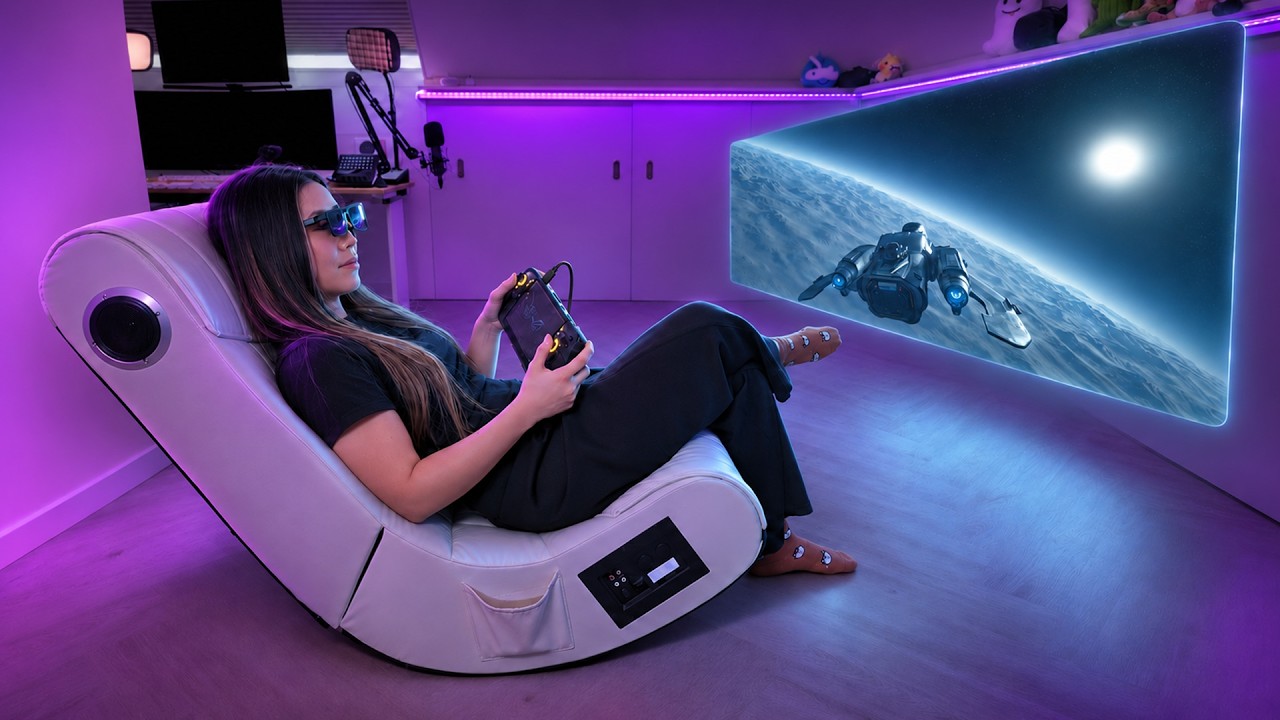
- At home I’ve been bingeing Netflix in theater mode, with a huge screen hovering in my room that takes up no space.
- In the garden I wrote this script in floating windows with a small Bluetooth keyboard on my lap. It worked surprisingly well, but you need the clip-on cover, or the sun washes out the image.
- In my studio I played Steam games in my empty, messy studio (we just moved), and the glasses made that better too.
None of these are dramatic, and that’s the point. With just the Station and the glasses you don’t need a laptop or a phone, and you can still get work done or kick back and watch something.
First thoughts on the Rokid AR Spatial
My first impressions are good. The Max 2 are light and comfortable enough for a few hours, and the image is sharp, which was always Rokid’s strong point. I don’t wear a prescription, so I couldn’t fully test the diopter range, but it’s there if you need it.
The Station 2 has been surprisingly capable. The interface feels responsive and multitasking works well. Two things to watch:
- The virtual screens can drift over time. Recentering is quick, so it hasn’t been a big problem, but I’ll keep an eye on it in longer sessions.
- The fan isn’t loud, but in a quiet room, especially at night, you’ll hear it.
I still need to test battery life, image quality and how it holds up in different places over longer use. That’s coming in the full review after another week or two with it.