VITURE Luma Pro vs Ultra: The Only XR Glasses That Got These 2 Features Right
The Luma Pro and Ultra look almost identical. Here's what the extra $100 buys, plus the 2D-to-3D trick and co-op dock that surprised me.
 By CasPublished Updated Video + article7 min read
I expected the Viture Luma glasses to be a simple portable screen, and Viture surprised me twice. The Luma Pro and the Luma Ultra look almost identical, but a few differences really matter. I’ve had Viture glasses for a while and never did a full review because I kept running into bugs. Lately they’ve been pushing a lot of updates, and some new features stunned me. So here’s my Viture Luma Pro vs Ultra comparison, with my thoughts on the software and the accessories around them.
Nobody sponsored this video. Viture had no say in what I said.
What the Viture Luma glasses are
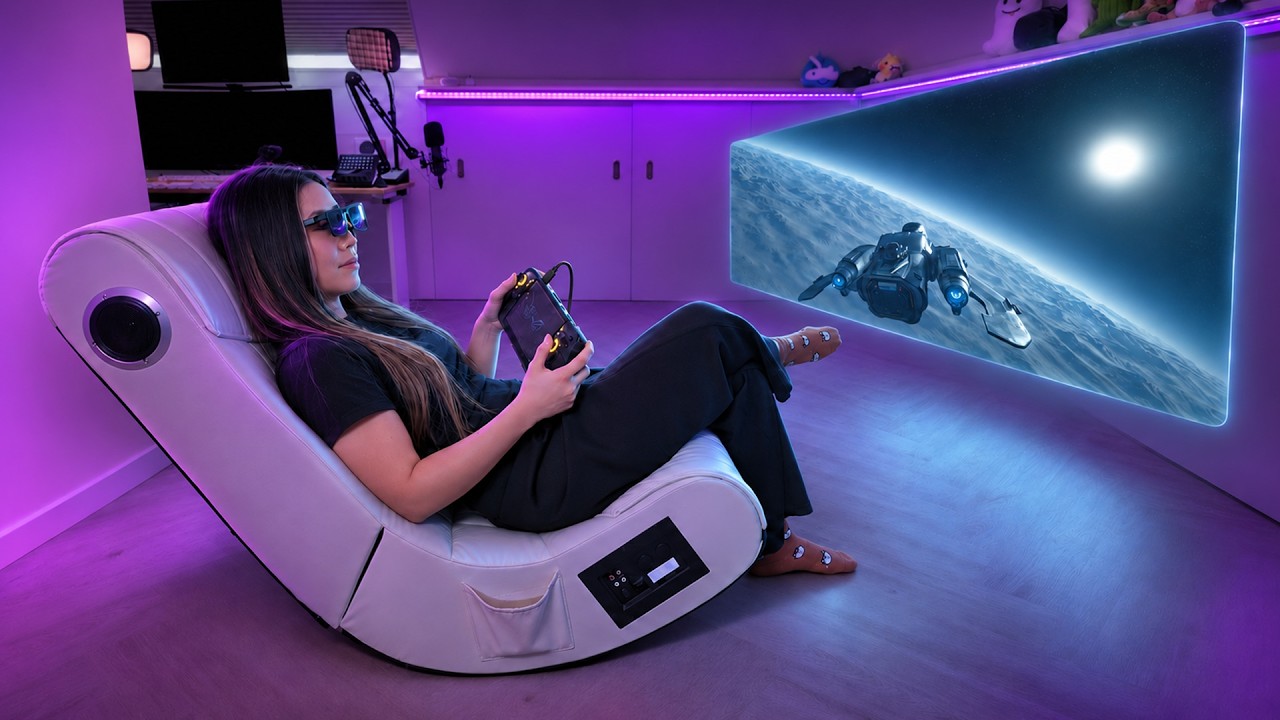
On their own, these are video glasses. You plug them into a device and get a big virtual screen for gaming, movies or work, the same idea as XREAL and other display glasses. They work with most USB-C devices that support DisplayPort: many Android phones, Macs, PCs and handhelds like the Steam Deck. Viture has a compatibility list on its site if you’re unsure.
Out of the box they simply mirror your screen. They’re not AR glasses by themselves. The AR-style features only appear with Viture’s software, and sometimes with the Neckband Pro.
Image quality
Both use birdbath optics with a 52° field of view, and they share the same resolution and myopia adjustment, so the core image is very similar. Colors are great, blacks are deep, and the screen feels huge. The first time I put them on I thought: wow, that’s a big screen.
Like most video glasses, you need to find the sweet spot on your nose. If they sit slightly off, the edges get cropped or a bit blurry (especially small text), or you see rainbow effects. There are extra nose pads in the box, and it’s worth taking the time to fit them. In clarity and color they’re on par with other high-end video glasses.
SpaceWalker, Viture’s secret sauce
The software is where it gets interesting.
- On phones: a simple home menu with a media player and a browser, and on iPhone a few preinstalled apps like Xbox Cloud Gaming and Moonlight for streaming your PC or Steam. You can use your phone as a laser pointer or trackpad, so you don’t have to look down at it.
- On USB-C iPhones: a small adapter unlocks head tracking, a 3DoF pinned screen, 360 VR video and automatic 3D for side-by-side and spatial videos. When we made this video it only worked with the Luma Pro; the Ultra was getting its own adapter. Android works out of the box, no adapter needed.
- On PC or Mac: multiple virtual monitors, side by side or stacked, an ultrawide mode and a coding mode with two portrait screens. Great for work, but the field of view is limited, so you’ll move your head to see it all.
3DoF has been hit or miss for me. Sometimes it works, and sometimes it takes a coffee break.
Surprise feature 1: instant 2D to 3D
This is what surprised me most. Viture calls it Immersive 3D: it uses AI and its own algorithms to add depth to ordinary 2D content in real time. On phones it’s one tap in SpaceWalker, for your photos and videos and even online videos. On Windows and Mac you use the Immersive3D app.
My honest reaction was an instant wow. On YouTube videos it did a great job separating foreground and background, and it doesn’t have that cheesy old-school 3D look. It works on basically anything you display. It turned my whole macOS desktop into 3D, so a window in front of another actually looks like it’s floating in front of it. Icons, menus, the whole UI gets depth.
It isn’t perfect. I had a few crashes and had to restart the app now and then. But when it works, it’s one of the best features I’ve used on any XR display glasses.
Compatibility takes some tinkering
Plugging into different devices isn’t always smooth. For extras like 3DoF tracking, it’s sometimes plug and play and sometimes tinkering. Viture has setup guides for most devices and they help. I still think it’s a shame the glasses don’t have 3DoF built in like the XREAL One Pro, which would make everything just work. To be fair, it’s a one-time setup.
Viture Luma Pro vs Ultra: the differences
What’s the same: field of view, resolution, myopia adjustment, electrochromic dimming and the general image quality.
What’s different:
- Brightness: the Pro goes up to about 1,000 nits, the Ultra up to 1,500.
- Cameras and tracking: the Pro has one front RGB camera for basic 3DoF, with one-camera 6DoF planned (not working yet when we made this video). The Ultra adds two grayscale side cameras for full 6DoF tracking.
- Microphone: only the Ultra has one.
- Price: about $499 for the Pro and $599 for the Ultra at the time.
So the extra $100 doesn’t buy more pixels or a wider view. You’re paying for brightness and tracking hardware.
Which one to choose
The Pro already does plenty if you want a high-quality portable screen for gaming, movies or work. The core picture is the same and you save money.
The Ultra is for people who want better tracking, hand gestures and the mixed reality features. With full 6DoF you can lean forward and the screen gets closer, like a laptop in real life, and that just feels better. For $100 more, I’d personally go Ultra. It’s more stable, more immersive, and it has the hardware to benefit most from future updates.
The cons
Stability in SpaceWalker has been a mixed bag. A few months before this video it was almost unusable, especially stabilization. It has improved a lot, but there’s still some warping, a bit of shake when you move your head, and the screen drifts over time. That’s probably fixable in software, and Viture has already added a quick recenter button. It’s usable now, but the XREAL One Pro is more stable, and its built-in stabilization and 3DoF make it easier to use across devices.
Also worth knowing: Viture has a new model coming, called the Beast, which I’ll review too.
Surprise feature 2: co-op with the Pro Mobile Dock
This accessory is the one I’ve loved from day one, and no other XR glasses do it right now. The Viture Pro Mobile Dock is a 13,000 mAh power bank, and it’s the only accessory I’ve seen that connects two pairs of glasses at once to share the same screen, over USB-C or HDMI.
So you and a friend each get your own big virtual screen from the same device. Play local co-op on a plane, or plug in a phone and watch a movie together without crowding around a tiny display. It also works as a Switch dock: the Switch can’t send video over USB-C, so to use these glasses with a Switch or Switch 2 you basically need it.
Viture says it adds around 8 hours of play with a Switch and about 3 with a Steam Deck, and more with some HDMI devices. We got around 4 hours of Switch on a plane with two pairs plugged in, so it depends on what you do.
Three things in one, then: co-op, Switch support and extra battery. The co-op part is my favorite. Two big screens on a long flight is amazing. I tried the dock with other brands’ glasses and it isn’t reliable: sometimes they won’t connect, or the colors look off. I get why Viture keeps it in its own ecosystem.
Accessory: the Neckband Pro
The Neckband Pro costs around $249 and is the first Google Play certified device you wear on your neck. Think of it like an XREAL Beam Pro: it turns the glasses into a small Google TV-style device you can take anywhere.
- Android with Google Play, so streaming apps, cloud gaming, remote play and emulators.
- Multiple virtual screens, 3DoF, Google Assistant voice commands, and hand gestures through its own camera, on both glasses.
- Two versions: 8GB RAM with 128GB storage, or 12GB RAM with 256GB.
- Wi-Fi 6E, Bluetooth 5.2, USB-C, a built-in mic, and support for keyboards, mice and controllers. You control it with a phone app or with hand tracking.
The one thing it gives you that your phone can’t is hand tracking, and that works surprisingly well: accurate, intuitive and fun. It also unlocks 6DoF apps, but only with the Ultra. Three show it off: Solar System (walk around the planets), Ghost Party (a small AR game) and Dream Brush (draw in 3D). This is real AR: objects stay in place as you walk around them and you can reach out to them. Oddly, these apps felt more stable than 6DoF in SpaceWalker on Mac or PC.
It’s still more of a showcase. There aren’t many useful 6DoF apps yet, and it’s unclear if developers will build for something this niche, so I wouldn’t buy the Neckband for that. I like wearing it on my neck for travel, but you don’t need it if you’re happy with your phone, laptop or console. It’s a nice-to-have if you want a dedicated device that doesn’t drain your phone.
My verdict on Viture
Viture isn’t just selling display glasses. It’s building a small ecosystem, and what I like most is how fast it pushes updates and new ideas: instant 2D to 3D, the co-op dock, a neckband with hand tracking. Nobody else in this space is doing these. If you want to share your screen with someone, this is the only option right now.
The trade-off is the bugs that come with moving this fast. It’s much better than it was, but I still hit crashes and features that needed more tinkering than I’d like. I’m honestly torn between wanting something stable and something that keeps getting new features. I hope Viture focuses on making it all run smoothly, because the potential is huge, and when it works, it works.
Two extras from when we made this video: Viture announced a Cyberpunk 2077 collector’s edition, the Cyber XR, for the game’s fifth anniversary, at $549 with specs similar to the Ultra and the Beast, limited to 10,000 units. As a huge Cyberpunk fan, I want it. And in the US you can try Viture glasses at Best Buy, in the gaming section. You can find both models on the official Luma site.