VITURE Pro 2: Cheaper, Lighter, and Missing Three Things
VITURE's Pro 2 is lighter, brighter and $160 cheaper than the Pro. Here's what changed, how to fit them, and the three things VITURE took out.
 By CasPublished Updated Video + article7 min read
“Lightest, thinnest and sharpest” is how VITURE markets its newest XR glasses, and honestly, that’s a little misleading. The first thing I noticed picking up the VITURE Pro 2 was the size. They still use birdbath optics, but they’re noticeably smaller than VITURE’s previous birdbath glasses, and even thinner than the prism lens models that have been coming out lately. In this VITURE Pro 2 review I go through what changed, how to get the fit right, and what VITURE took out to get the price down.
VITURE sent us the Pro 2 to review. They didn’t pay for the video and didn’t see it before it went out.
63 grams and $299
VITURE says 63 grams, and my scale agreed closely enough. That’s 14 grams less than the pair it replaces, and you feel it immediately.
The number that surprised me more is the price. The Pro 2 launched at $299. The original Pro launched at $459, which makes the Pro 2 the cheapest pair VITURE currently sells. So it’s smaller, lighter and $160 cheaper, and VITURE promises a sharper, wider and brighter view on top. The obvious question: what did they give up to get there?
Unboxing and design
The box has a 3D effect on the front. A completely pointless detail, and I love it. Inside:
- A quick start guide on top
- The case with the glasses inside
- A lens cover
- The cable
- Three sets of nose pads
- Documentation and a cleaning cloth
Build quality feels good, very similar to their previous glasses, just noticeably lighter in the hand. The case is nothing new: hard enough that I trust it in a bag, with a small compartment for accessories. Nothing revolutionary, but someone clearly thought about the bits you touch.
What changed from the original Pro
Here’s what’s different between the generations:
- Weight: 77 g down to 63 g
- Field of view: 46° up to 50°
- Brightness: 1,000 nits up to 1,600, with nine brightness levels instead of seven
- Temple arms: now adjustable
That 1,600 nits makes the Pro 2 the brightest pair VITURE makes, brighter than the Beast and the whole Luma series, on their cheapest pair.
What stayed the same:
- 1920 x 1080 per eye
- Up to 120Hz
- Birdbath optics
- 3DoF through the SpaceWalker app
- Myopia adjustment (down to -5.0D), still one of my favourite things VITURE does, and something I wish every company would copy
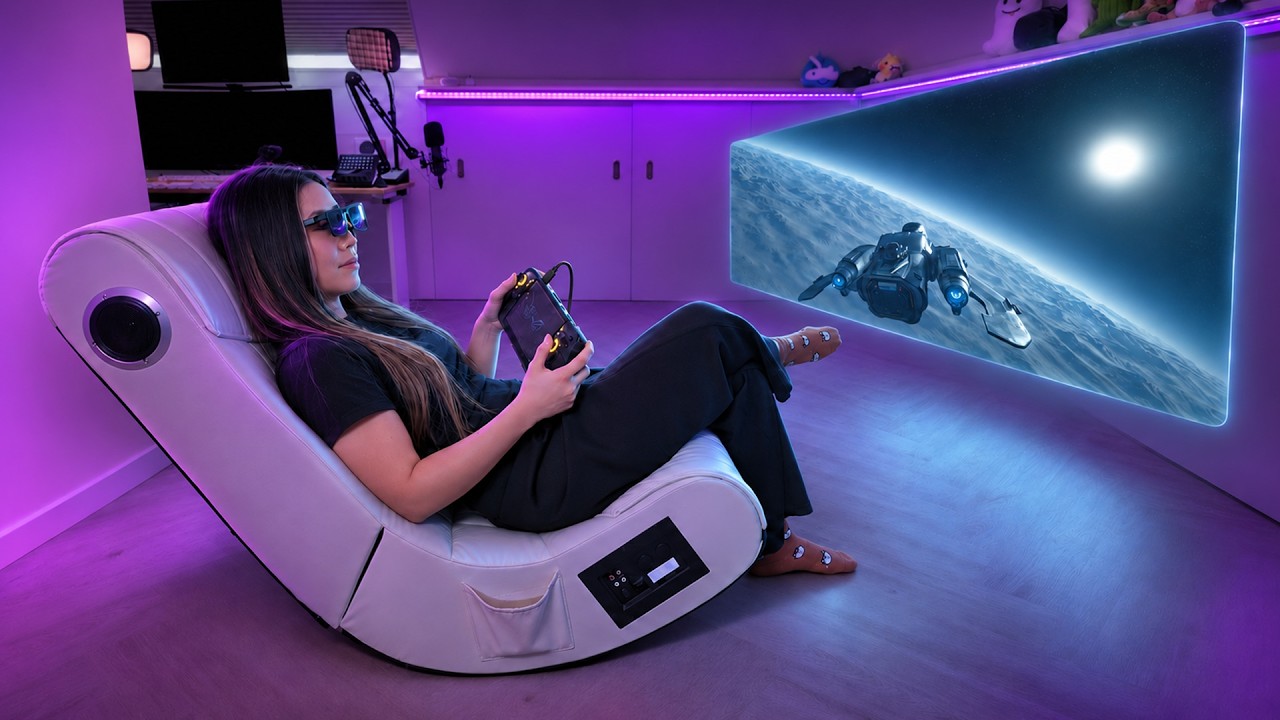
Fifty degrees doesn’t sound like much of a jump from 46. It’s four degrees, I know, try to contain yourself. But the picture feels big, like a large TV a couple of metres in front of you.
The three things VITURE removed
1. The magnetic connector
You now get a normal USB-C port in the right temple. I’m a little torn. The magnet was a nice touch, and the cable popped off instead of yanking the glasses off your face. But it also unplugged itself on me a few times when I shifted position. USB-C is less elegant, but it stays put and there’s no proprietary cable to lose.
2. Electrochromic dimming
On the previous Pro you could darken the lenses with a button, which was one of its best features, and every other pair in VITURE’s current line-up still has it. The Pro 2 gets a physical cover instead. It works and it blocks light fine, but it’s a lens cap. A very nice lens cap, but a lens cap.
3. The Harman audio branding
I didn’t have the original Pro on hand, so I compared the Pro 2 with the Beast, which still has Harman tuning. I could hear a difference: the bass is fuller on the Beast and there’s a bit more depth. I’m not an audiophile, so that’s as technical as I get. It’s not night and day, and the Beast is a much more expensive pair. For $300, the Pro 2 sounds good enough.
So that’s part of the answer: $160 cheaper and lighter, but you pay for it somewhere.
Getting the fit right
VITURE pitches this generation as being all about comfort, and the nose pads are a really nice addition. You get three sizes. One is fixed in a single position. The other two clip onto a post with three positions each, which is where VITURE’s “seven positions” comes from.
That matters more than it sounds. You’re choosing where the display sits on your face, and with glasses like these, if they sit even slightly off, the image goes blurry. It’s less about pressure on your nose and more about looking through the optics properly.
The temple arms adjust now too. That’s new for the Pro line, though VITURE’s other glasses already had it, and the temple material changed for comfort.
In practice it works. After several hours my nose was fine. I do notice the weight on my ears from the temples after a while, so the 63 grams doesn’t disappear, it just moves somewhere you mind less. It took me about two minutes to dial mine in:
- Pick your nose pad size.
- Set it to one of its positions.
- Adjust the temple arms.
- Dial in each eye with the myopia adjustment until it’s sharp.
Most people will skip this and then wonder why their glasses feel wrong. Don’t skip it.
Edge-to-edge clarity
VITURE is making a lot of noise about edge-to-edge sharpness. It said something similar about the original Pro, so this is an improvement claim, not a new feature.
My test is small text in the corners, because that’s where birdbath optics usually get blurry. I wrote my script in them and played a game with HUD elements right in the corners. That’s a bigger deal on these than on most glasses, because they’re 0DoF by default: the screen is locked to your head, so you can’t turn to look at a corner, the corner turns with you. The edges have to be sharp.
VITURE says it retuned a few things in the optics, and whatever it did held up. The corners stay clean and I wasn’t straining or squinting. I’m genuinely impressed. This is the claim they’ve earned.
The picture, and the hidden costs
The panels are Sony micro-OLED, and the blacks are properly black. Colours look natural, a bit deeper and more saturated than on my monitor or phone, which is great for films and games. Double tap the button to cycle through five presets.
They’re bright. So bright that at night, in a dark room, full brightness is uncomfortable and I turned it down. In daylight, near a window or outside, that headroom is exactly what you want.
VITURE also sent the XR Adapter Ultra. It isn’t new, but it’s the useful one: it handles Switch 2 and lets you charge and play at the same time, with any of their glasses. There’s also a new Mobile Dock Mini coming, a power bank and detachable adapter in one, much smaller than the old dock. I didn’t have it yet.
Be ready for this: depending on what you plug into, you’re probably buying an adapter. iPhone, Xbox, PlayStation and Switch all need something extra. To be fair to VITURE, that’s the whole category, because most devices were never built to send video to glasses. The glasses are $300. Your setup might not be.
No chip, no cameras
This gets misunderstood constantly. The Pro 2 is 0DoF by default because there’s no processing chip inside and no cameras on the outside, so no hand tracking either.
You can get 3DoF through SpaceWalker, VITURE’s app, which pins the screen when you turn your head. Not 6DoF. I tried it, and it has improved a lot, but it’s still clunky with these. It drifts, and the stabilisation isn’t smooth. It’s close, just not “leave your monitor at home” close. That’s the line between the Pro 2 and the Beast or Luma Ultra, which have the hardware inside to do it more smoothly.
For entertainment and maybe casual work, which is what these are for, it’s enough. No chip and no cameras is part of how these cost $300 instead of $550.
About that “sharpest ever” claim
I like VITURE and I’ve reviewed their stuff for years, which is exactly why I’m going to be annoying about this. Technically they’re not wrong. Their argument is about the optics, not the pixels, and the edge-to-edge clarity is real.
But when people read “our sharpest display ever”, they think more pixels, and that’s not what’s happening. The Pro 2 is still 1080p per eye. The Luma series and the Beast are 1200p, and the Beast is wider at 58°. Is the claim false? No. Will it leave people with the wrong impression? I think so. Whether that’s deliberate or just marketing being marketing, I don’t know, but it’s worth knowing before you spend $300. To be fair, the Luma and the Beast cost a good deal more, and the Beast uses prism lenses, which have their own pros and cons.
One more thing. When I wrote the script for this video, refurbished original Pros were going for well under $200, and I’d seen them close to $130. Prices move, so check for yourself. The question is whether the Pro 2 is better by enough to justify roughly double a refurb. I think it is, mostly because of the sharpness. You notice the edge-to-edge clarity every time you put them on, and a discount on the old pair doesn’t get you that.
VITURE Pro 2 review verdict: who it’s for
They’re not a monitor replacement, not yet. At home I’ll keep using my own monitors until resolution gets meaningfully better across the whole category. Where they make sense is travel: on a plane, in a hotel, on the sofa, anywhere you don’t have a screen.
What did VITURE give up? The dimming and the Harman name. Swapping a button for a bit of plastic I have to carry is the one I actually mind, and SpaceWalker still isn’t good enough that I’d choose to work in it.
So are they worth it? For what they’re trying to be, easily. Lightest: yes. Thinnest: yes. Sharpest: depends what you mean by it. At $300, it’s a really good entry point if all you want is entertainment. Good price, good screen. Just know that’s all it is, and that depending on the devices you own, it can get expensive fast.